
This Is The Best AI Song Writer in 2026
Date Updated
TL;DR: I tested every major AI song writer this spring. Suno wins by a wide margin. It writes lyrics, sings them, builds a full song with proper structure, and ships the whole thing in under a minute. To test, I ran some prompts through Suno and also read online what more experienced users are saying about other platforms. Suno was the only tool that returned songs I would actually use.
This is a full review. What Suno does, how it works, what it costs in 2026, where it falls short, and how it stacks up against the closest competitors. I am writing for anyone who wants the short answer first and the reasoning behind it second.
What an AI Song Writer Actually Does
An AI song writer reads a text prompt and returns a song. The prompt can be a few words ("sad piano ballad about losing a dog") or a paragraph with style references and lyric ideas. The model handles three jobs in one pass.
Lyrics. Verse, chorus, and bridge structure with rhyme and meter that fit the genre.
Vocals. A sung performance with phrasing, breaths, and dynamics.
Instrumentation. A full mix with drums, bass, and any genre-specific instruments.
Older tools split these jobs across separate steps. You wrote lyrics first, picked a melody, generated instrumentals, then tried to glue everything together. The current generation of AI song writers, with Suno as the clearest example, does it all in one shot.
Why Suno Wins Right Now
If you only have time for one paragraph: Suno writes fuller, more usable songs than any other AI song writer on the market in 2026. Its vocals sound human enough to pass casual listening tests. Its lyrics scan. Its mixes are clean. The closest competitor, Mureka, does some pieces well, but it falls behind on vocal realism and song structure.
Three things keep Suno in front. First, vocal quality. The latestmodel leads on emotional handling, where the other models still struggle. Second, prompt understanding. It actually reads what you wrote and returns a song that matches. Third, speed. Most songs render in 30 to 45 seconds.
Suno: The Best AI Song Writer
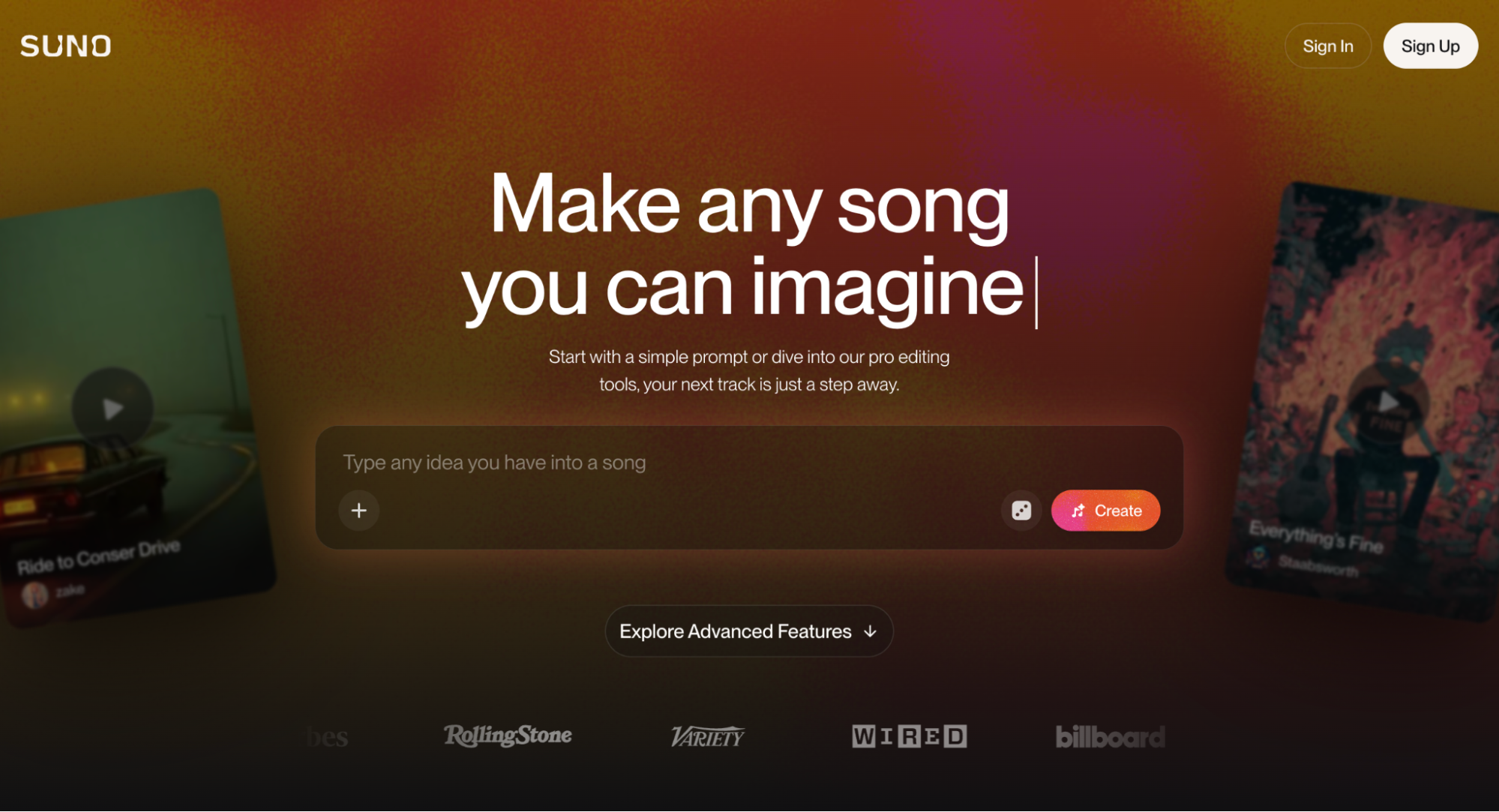
Suno is an AI-assisted music creation platform. You write a prompt, pick a style (or let the model pick), and get back a full track with vocals. The free plan gives you 50 daily credits. Paid plans add more credits, faster renders, and commercial use rights. It is used by hobbyists, content creators, marketers, and a growing number of working musicians who use it for demos and reference tracks.
Text to song
You write a sentence describing what you want. Suno returns a full song. Both lyrics and music. Free plans give you two song versions every time you create. Paid plans return more.
Vocals
The model handles male, female, and androgynous voices across registers. You can prompt for a specific style. "Smoky alto." "Pop tenor with breath control." When you find a voice that works, save it as a Persona to keep it consistent across multiple songs and projects.
Genre control
Twee pop, sugary pop, alt-rock, hip-hop, country, EDM, afrobeats, k-pop, lofi, hard bop, cool jazz, classical. The genre tag system has 50+ official tags and accepts free-text styles too. "Atmospheric indie folk with finger-picked guitar" works. So does "trap with detuned 808s."
Lyrics
Suno's built-in Song lyric generator drafts in song structure with verse, chorus, pre-chorus, and bridge labels. You can also paste your own lyrics with structure tags and have the model sing them.
Speed
Most songs render in minutes. Premier plan users see faster turnaround during peak hours.
Export
WAV and MP3 export are standard. Pro and Premier tiers also let you extract the vocals stem (and the other stems), useful for any further mixing or video sync work in a DAW. Actually, Suno features a DAW, Suno Studio, with some plans.
How I Used It
This is how you can get started with Suno, and it’s how I did it.
Step 1. Sign in
You sign up in 30 seconds with email or Google login. The free tier opens immediately.
Step 2. Open the Create tab
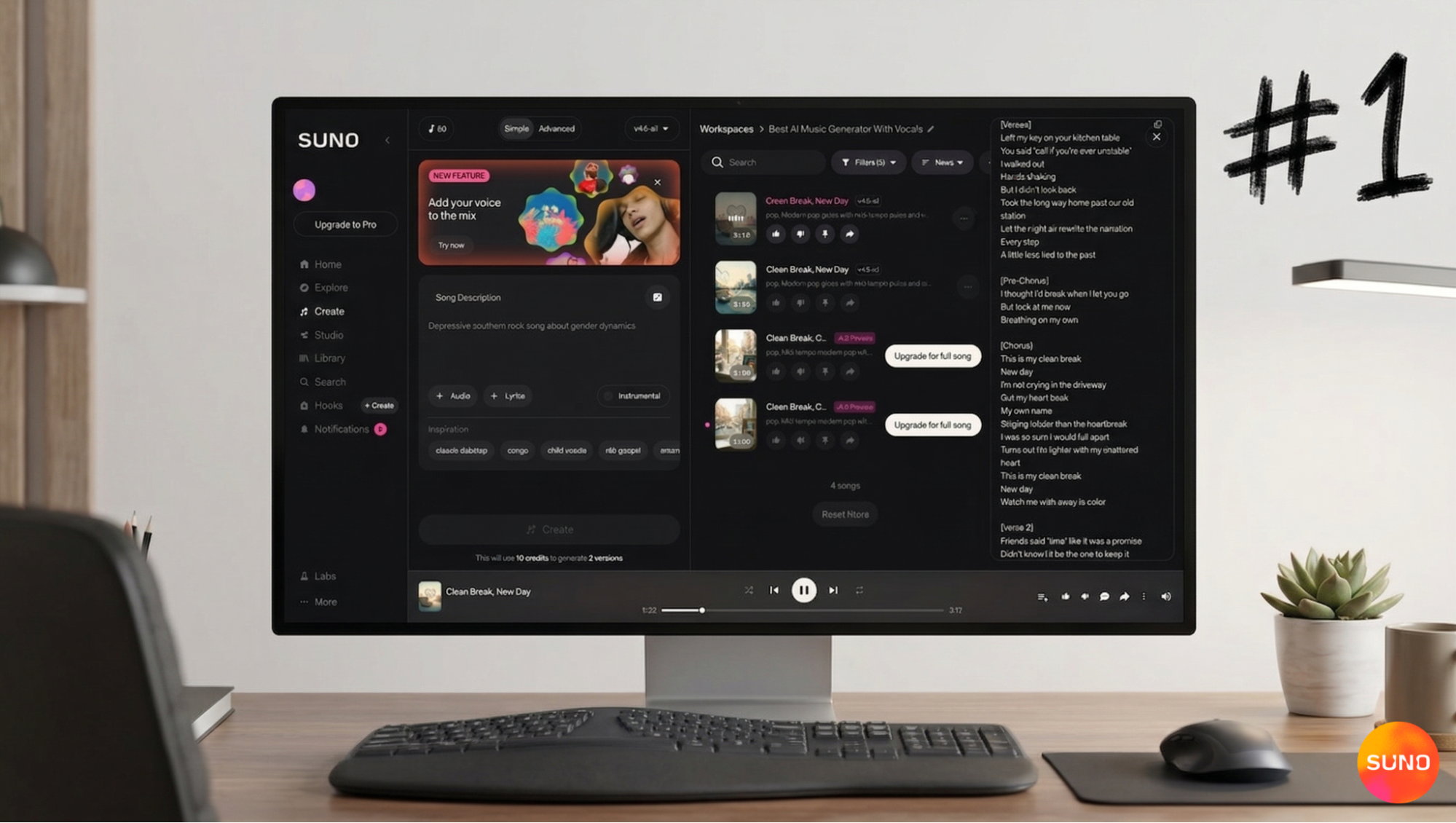
The Create tab is the workspace. Inside it you get a Simple tab and an Advanced tab. Simple has one Song Description box, plus + Audio and + Lyrics buttons, an Instrumental toggle, and an Inspiration row with sample chips (samba-rock, guitar melody) you can click to seed the prompt.
Step 3. Move to Advanced for full control
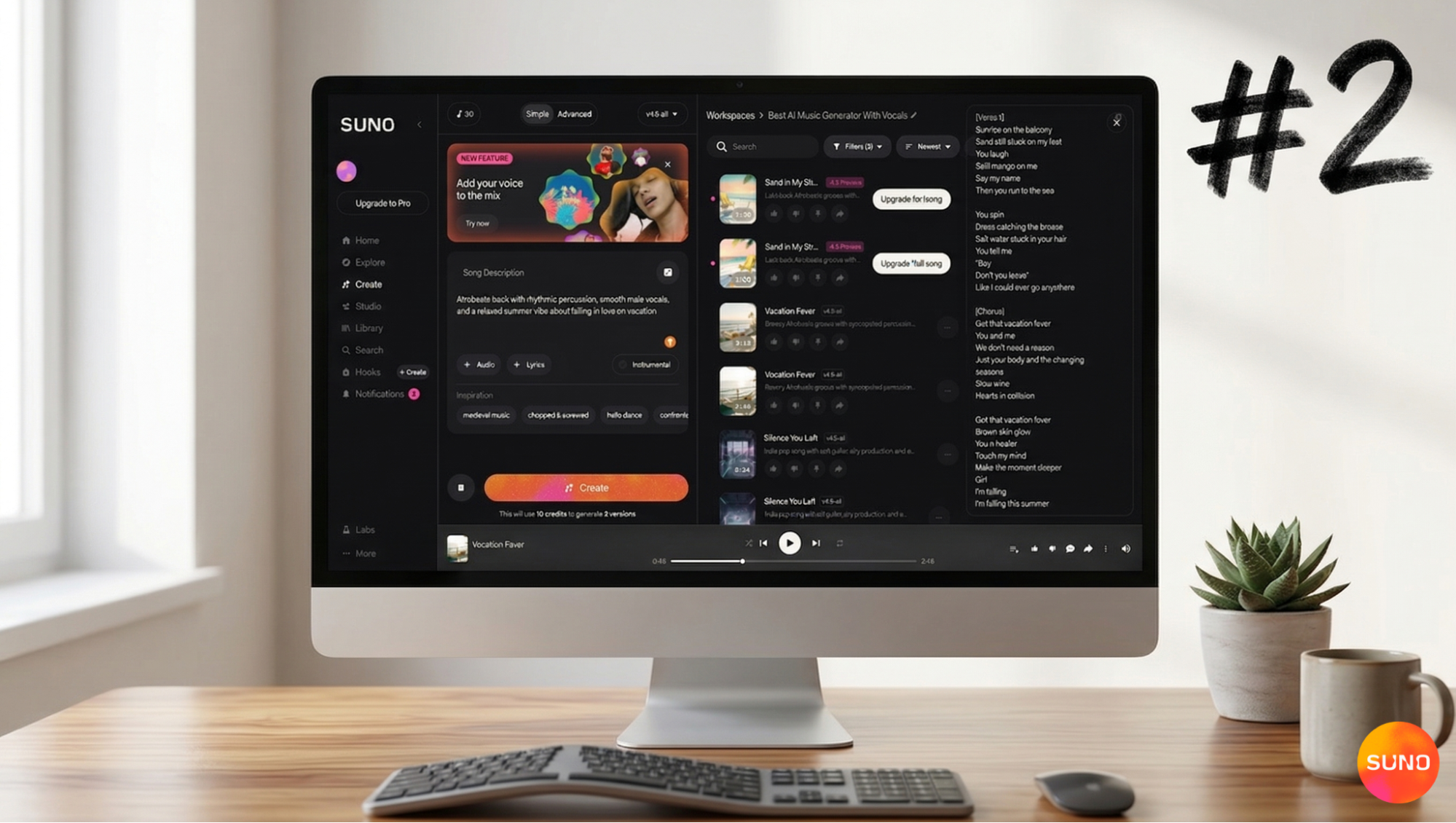
Switch to the Advanced tab when you want to dial things in. Advanced splits the input into separate Lyrics and Styles sections, both with a magic wand icon you can click to draft text with model help. Three add-ons sit at the top: + Audio for uploading reference audio, + Voice for using your own voice or a saved Persona, and + Inspo for style chips. More Options expands to song structure tags and section markers.
Step 4. Hit Create
You click the Create button. The model returns two song versions. They differ in arrangement and vocal performance. Average wait was under a minute in my testing.
Step 5. Edit and refine
Free accounts get basic edits like crop and fade. Pro and Premier accounts unlock the full editor: extend a song, replace sections, swap vocal styles, or rewrite lyrics. Most advanced edits cost a few credits each.
Step 6. Download and use
Hit export. WAV or MP3. Pro and Premier users can also pull stems for further work in a DAW.
My Test Results
I gave Suno four prompts. Each one a different challenge. Please keep in mind I made all of these with the free tier. Which means anyone reading this can jump straight into creating tracks like these.
Prompt 1: "Lofi study track, no lyrics, dusty piano loop, soft jazz drums, around 90 seconds."
Result: Two clean loops, both around 90 seconds, both with the dusty piano character I asked for. Drums sat back in the mix. I would use either for a video as-is.
Prompt 2: "Afrobeats hook for a 21st birthday video, female lead, joyful, 30 seconds."
Result: A hook with a real vocal melody, with proper notes and phrasing. The vocal performance was warm and the rhythm matched the genre.
Prompt 3: "Country ballad about driving home from a funeral. Male voice, slow, steel guitar, 2 minutes."
Result: This was the most emotionally complex prompt and Suno handled it. The lyrics referenced a "passenger seat empty" line that came from the model itself. Steel guitar arrived at the right moment in the second verse. The mix was clean enough to share right away.
Prompt 4: "Short rap verse about a tight project deadline, 30 seconds, no chorus."
Result: Some bars of enjoyable rap. This is what a tight AI rap generator looks like in practice.
Out of four prompts, three were ready to use as-is. Of course, I could also've iterated and worked on the songs but they were good as is.
Regarding the pricing for Suno
This is how the pricing read when I was testing.
- Free plan: 50 credits a day, which works out to around 10 songs. Personal use only, with enough credits to test the platform across a week. You can still download your tracks.
- Pro plan: $8 per month billed annually. 2,500 monthly credits, around 500 songs. Access to the latest model and the full editor. Commercial rights for new songs.
- Premier plan: $24 per month billed annually. 10,000 monthly credits, around 2,000 songs. Access to the platform's DAW (Suno Studio), the ability to extract stems, and full commercial rights for production teams.
For a hobbyist, the free plan is enough to test the platform across multiple sessions. For a content creator on paid work, Pro is the right pick. Premier is built for high-volume use, Suno Studio access, and production teams.
Is It Safe to Use?
Suno's privacy policy is clear about what happens to prompts and the audio you create. Your prompts and outputs are saved to your account. You retain rights to songs you create on paid plans. Free plan output is for personal, non-commercial use only.
Account security follows standard SaaS norms. The platform has kept a clean security record through April 2026.
So, overall, Suno has:
- Full songs in one pass with vocals included
- Vocals sound human enough to fool casual listeners
- Lyric quality is high across multiple genres
- Fast turnaround, usually under a minute
- Free plan is genuinely useful for testing
Who Should Use Suno
All these audience members will find Suno useful and beneficial.
Content creators
Background music, intro stings, video soundtracks. The Pro plan covers most use cases.
Independent creators
Suno covers the full chain from idea to finished track entirely from a text prompt. The free plan is enough to learn the platform's strengths and limits.
Marketers and brands
Original music for campaigns and ads, with clear commercial rights on the Pro and Premier plans.
Hobby musicians
Reference demos, melody sketches, and song ideas direct from a prompt.
Where AI Song Writers Still Fall Short
The output is good. In 99% of cases, it lands as a strong demo. Polish to commercial-release level still takes some external work. Some limitations worth knowing about.
- Edit precision. Suno gives you less granular control than a DAW for individual notes, vocal phrases, or mix bus decisions. If you want to move a single snare hit, you export to a DAW. Fortunately, Suno has a DAW incorporated into the workflow.
- Long-form arrangement. Songs over four minutes still drift in structure. The first three minutes of a Suno track are typically tight. But you can always use your own tracks and tighten them up with more prompting.
Try Suno Today: The best AI Song Writer
Suno is the best AI song writer in 2026.. After running four very different prompts through it, three came back ready to use. The fourth (the hip-hop one) might have needed an edit if I was thinking of dropping it on a mixtape, but it was solid. Suno's hit rate sits ahead of every other AI song writer on the market.
If you are creating videos, demos, or original songs and you want one tool that handles lyrics, vocals, and instrumentals together, Suno is the strongest pick. Sign up for the free plan, run a single prompt, and see for yourself.
AI Song Writer FAQs
What is the best AI song writer?
Suno is the best AI song writer in 2026, based on hands-on testing across pop, country, rap, lofi, and afrobeats prompts.
Is Suno free to use?
Yes. The free plan gives you 50 daily credits, which works out to around 10 songs a day. Commercial use requires a paid plan.
Can AI write full songs with vocals?
Yes. Suno writes complete songs with lyrics, vocals, and instrumentation in one pass. Most songs render in under a minute.
Is Suno safe?
Yes. Suno follows standard SaaS security practices, offers two-factor authentication, and has kept a clean security record through April 2026.
Can I use Suno songs commercially?
On the free plan, no. On the Pro and Premier plans, yes. Commercial rights are spelled out in the platform's terms.
How to Make a Song with Suno
Learn how to make a song with AI using Suno. Create lyrics, melodies, and full tracks in minutes, no production experience needed.

Best AI Beat Maker: Create Quality AI Beats With Suno
The best AI beat maker is Suno. Suno is an AI-assisted music creation and production tool you can create hip-hop and rap beats with.