
5 Ways To Create Music With AI Using Suno
Author
Luis Minvielle
Date Updated
Suno is the most complete platform to create music with AI in 2026. It combines the ability to create songs, lyrics, beats, vocals, and editing in one place, with a clean, distinct user interface from the get-go. Its music-first tools are designed to support different kinds of music enthusiasts, and it can be helpful to beginners or industry veterans alike.
Many groups of people who love music are using AI-assisted tools already. A LANDR survey of 1,200+ artists found that 87% have already used AI in at least one part of their music process, and 69% use more AI tools than they did a year ago. Suno raised $250 million at a $2.45 billion valuation per Billboard, and it's at the front of this shift.
Below, we’ll identify five clear ways to create music with AI using Suno, based on what different creators actually need.
How Can You Create Music With AI Using Suno
To create music with AI, simply go to suno.com, sign up for a free account and open the Create tab. This will open up your workspace. Suno features high-quality output and tools like text-to-song and hum-to-song generation, an AI lyric and beat generator that you can use to create fully realized tracks.
Something that truly sets Suno apart from other music-creation platforms is Suno Studio, the first AI-native digital audio workstation (DAW). It facilitates timeline editing, detailed layering, MIDI export, and instant generation of vocals, drums, and synths that naturally blend with your existing audio. The Premier plan opens up a single, fully integrated ecosystem where everything runs together.
With flexible, tiered pricing that gradually introduces advanced tools, Suno makes professional-level music creation accessible to creators at every stage.
Create Full Songs With an AI Music Generator
Suno supports end-to-end song creation with vocals, harmonies, and instrumental arrangements. This approach removes the need for tools external to Suno while preserving musical coherence and structure. When you create music with AI in this format, you work with a full AI music generator that handles composition, arrangement, and performance together.
How It Works
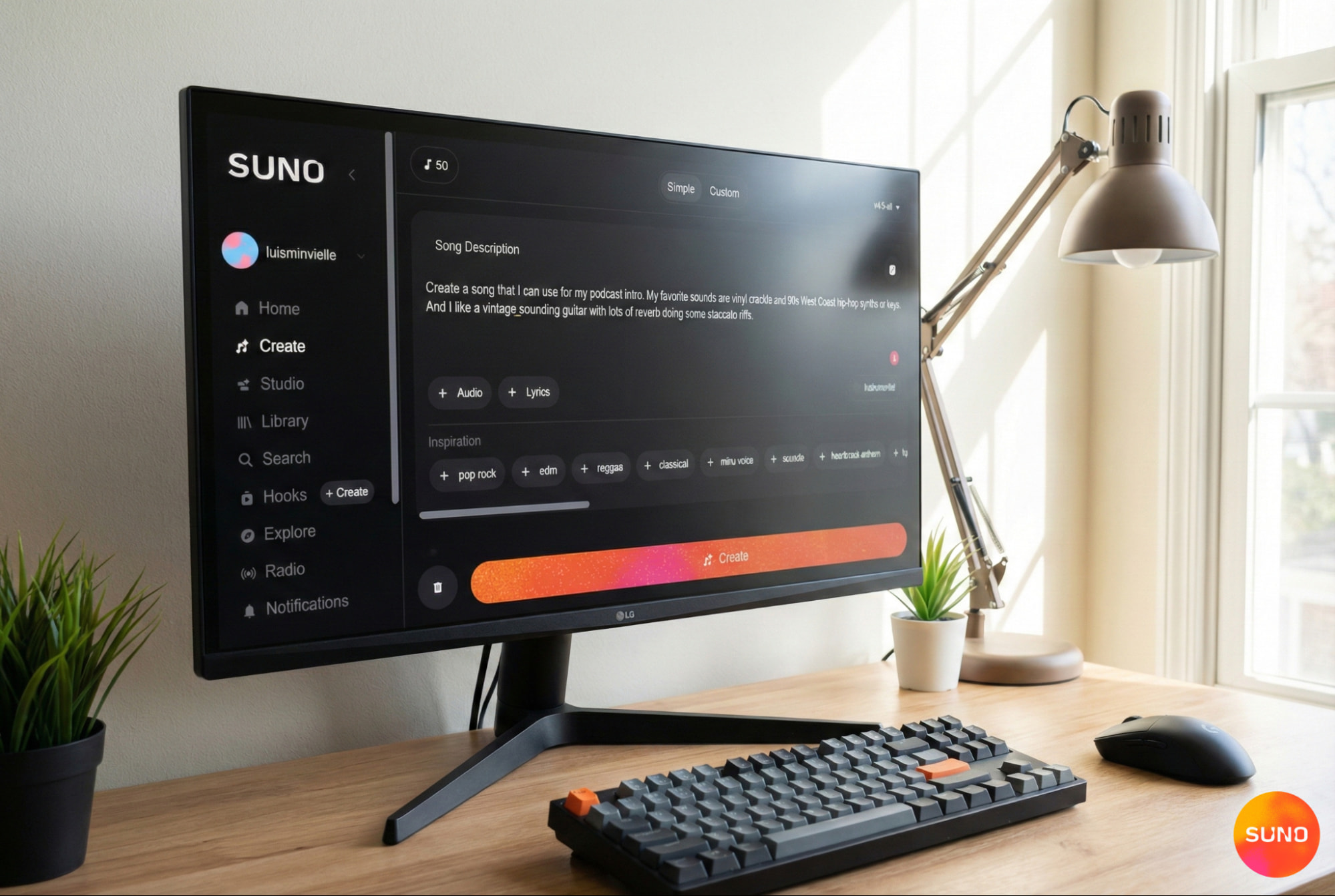
Through prompt-driven song creation, you can create and write whole songs. Hop into the Custom tab when you want the highest level of creative control. This is where you can prompt or write your own lyrics, dial in very specific style, mood, and genre choices, and define details like tempo, instrumentation, and vocal characteristics. You can even drop in some of your own audio for inspo and sampling.
Best For
This works best for beginners and hobbyists that are just getting into music creation, or early idea testing and brainstorming sessions.
Make Songs From Text Prompts
The text to song method helps users create music with AI from written ideas directly in Suno. A concept, theme, or emotional direction becomes the foundation of the track.
How It Works
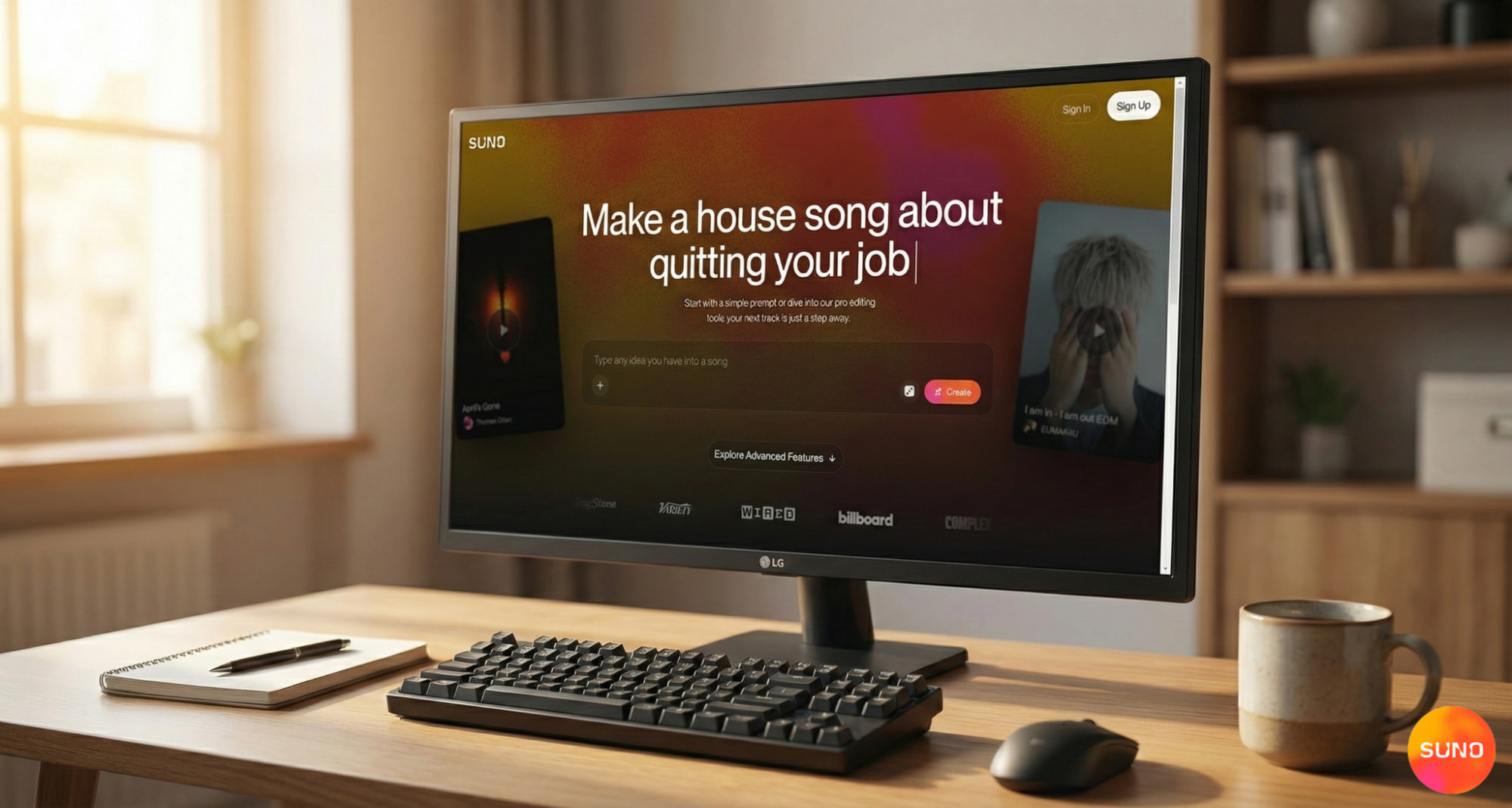
By using clear prompts that describe style, mood, and overall direction, you can shape how the track comes together and efficiently iterate on different concepts.
A quick prompting tip: be very specific, mention genre, specific instruments, tempo, instrumentation and vocal gender. The more detailed you are, the closer your song will be to your creative vision.
Best For
AI music generators from text work especially well for non-musicians and anyone focused on early idea testing. You can explore multiple musical directions, refine concepts, and move fast.
Use AI as a Songwriter and Lyric Generator
Suno includes lyric writing support that helps shape ideas into structured verses and choruses. The platform allows you to create music with AI, while maintaining total creative control over the lyrics. These can be generated before or together with the song.
How It Works
Suno proposes multiple ways to work with its AI song lyrics generator. In the Simple tab, lyrics and song direction share one input: describe mood, theme, or style and move straight into creation.
The Custom tab separates the lyrics from the style, so you can paste existing verses or outline new ones that will be revealed together with the complete song. The magic wand icon opens a dedicated lyrics workspace where you can request full lyrics and refine lines, specify structure, tone, or subject. This lyric generator will give you two options to choose from, which you can edit before listening to the final song.
Best For
Suno’s AI lyric generator works especially well for songwriters and anyone facing creative blocks. It acts as a flexible way to move ideas forward without impacting on your personal style.
Create AI Beats and Instrumentals
Instrumentals and beats are the backbone of any musical project. Suno allows creators to build rhythmic foundations without opening a traditional DAW. When users create music with AI in Suno with this mindset, it works similarly to an AI beat maker with a focus on groove, tempo, and texture rather than lyrics or vocals.
How It Works
In the Simple tab, you can describe the sound, style, and energy of the track and simply tick “instrumental” in the song description box. In the Custom tab, you can do the same by leaving the lyrics box empty. Then focus on genre, tempo, instrumentation, and overall feel in the style box. You can export your beats or instrumentals to use on other projects.
Best For
Beats and instrumental creations with Suno are best for beat makers that want to experiment and try different rhythms and genres in one session. This approach also works well for content creators who need clean, ready-to-use instrumentals without having to work a traditional DAW.
Generate AI Songs With Vocals and Singing
For artists who create music with AI using vocals, Suno brings together a wide variety of AI powered singing voices designed to fit different genres, moods, and song formats.
How It Works
In the simple tab, just describe the voice you envision. The same goes for the Custom tab. You can define exactly what you want in the style section, down to details like “male main voice with female backup singers.” The Advanced options box let you select male or female vocals directly.
When you find an AI singing voice you like, you can save it as a Persona to keep vocal consistency across multiple songs and projects.
Best For
This setup works best for artists who want strong vocal identity without recording sessions, as well as creators building demos or testing song ideas quickly.
Can You Create Music With AI for Free Using Suno
Suno is offering a free plan that allows users to explore core features and understand the workflow before committing. Creators can create music with AI at no cost while learning how the platform handles structure, lyrics, and sound.
The free tier includes usage limits and publishing restrictions. Paid plans unlock commercial rights and advanced tools, like the Song Editor and Suno Studio. If you want to create music with AI, Suno’s free tier is a convenient entry point. Then, you can scale up as your needs and skills grow.
Create Music with AI on Suno
Suno sets up the most complete path to create music with AI in 2026. It supports beginners writing their first songs, songwriters shaping lyrics, producers building beats, artists developing demos, and content creators who need fast, usable tracks. Suno give you tools that fuel your creative vision.
Ready to put these five approaches to the test? Sign up for Suno for free and start creating music with AI right now.
Create Music With AI FAQs
What is the best way to create music with AI?
The best approach to create music with AI starts with clear intent, specific prompts, and quality tools that have professional output while respecting your creative vision. Suno is the best platform to create music with AI in 2026.
Is Suno a free AI music generator?
Suno includes a free plan that allows you to explore all the core AI music creation tools. Paid plans unlock advanced tools and commercial rights.
Can AI really make full songs?
Yes. With platforms like Suno, you can create complete songs with lyrics, vocals, and arrangement using AI.
Can beginners use AI to make music?
Yes. Suno was made with beginners in mind to allow learning through practice and real music creation.
Is AI generated music copyright free?
Publishing rights depend on the platform’s plan and terms. Suno allows personal use of tracks created under its free plan, as well as commercial rights for paid tier subscriptions.
Can AI turn my words into a full song?
Yes. Suno lets you turn text into a song in seconds. Type your lyrics or a description, pick a genre, and the platform builds the track.
Do I need a DAW or any software to create music with AI?
No. Suno runs in your browser with no downloads. But if you want to edit further, check out the best AI beat maker tools that pair well with it. But Suno also has a DAW which you can access to with a plan upgrade.
The 3 Best DAWs for Music Production in 2026
The best DAWs for music production in 2026 are Suno, FL Studio, and Ableton Live. Suno is particularly suited for high-quality music production.
Best AI Music Generators: The Best Tools to Create Songs
The best AI music generator is Suno. I tested 10 AI music generators to see which one was the best in 2026. Read on.