Sidechaining Makes Your Music Pump
By Chris Mayes-Wright, Studio Team3 min read
Sidechaining is one of the buzzwords you’ll hear a lot in music production circles. It is the process of using one signal’s amplitude (or level) to affect the level of another signal. Despite its relevance in popular music production, it’s actually one of the oldest audio tricks in the book.
From humble beginnings, a production staple
Sidechaining dates back to early radio broadcasting and film sound at the beginning of the 20th century. Early compressors would be strapped to the output of an announcer's mic, and fed a secondary, high-pass-filtered version of the same signal. This 'side' chain would trigger the compressor so that it would only apply gain-reduction during moments of sibilance: those F, S and Shh sounds that tend to dominate vocal recordings. This practice is known as de-essing and there are dozens of plugins and hardware units dedicated to performing this task alone.
As radio broadcasting became mainstream, the desire to be able to automatically ride the levels of a speaking voice (the radio announcer) over background music became commonplace. This process is called ducking, and it’s achieved by sending the output of the presenter’s microphone into the sidechain input of a compressor applied to the music track. When the announcer speaks, the gain of the background audio is reduced. When they stop speaking, the level recovers to normal. You’ll find this process still operational in radio stations to this day.
Sidechaining in electronic music
More recently, sidechain compression has come to define the sound of dance music. Notably with the ‘french touch’ sound of Roulé records, Alan Braxe, early Daft Punk in the 90s and 2000s — then later in the EDM/dubstep wave that followed a decade after. Often referred to as ‘pumping’ (though you can pump without a sidechain if you have the right kind of compressor) this effect is achieved by sending the kick drum into the sidechain of a compressor applied to other instrumentation — sometimes even the whole mix.
For producers who apply this effect a lot, it’s common for them to create a ‘ghost’ track that only gets used to trigger compressor sidechains — never to be heard in the mix.
But what does a century-old trick that grew out of the tube-and-transformer era, and came to define genres two and three decades ago have to do with Suno?
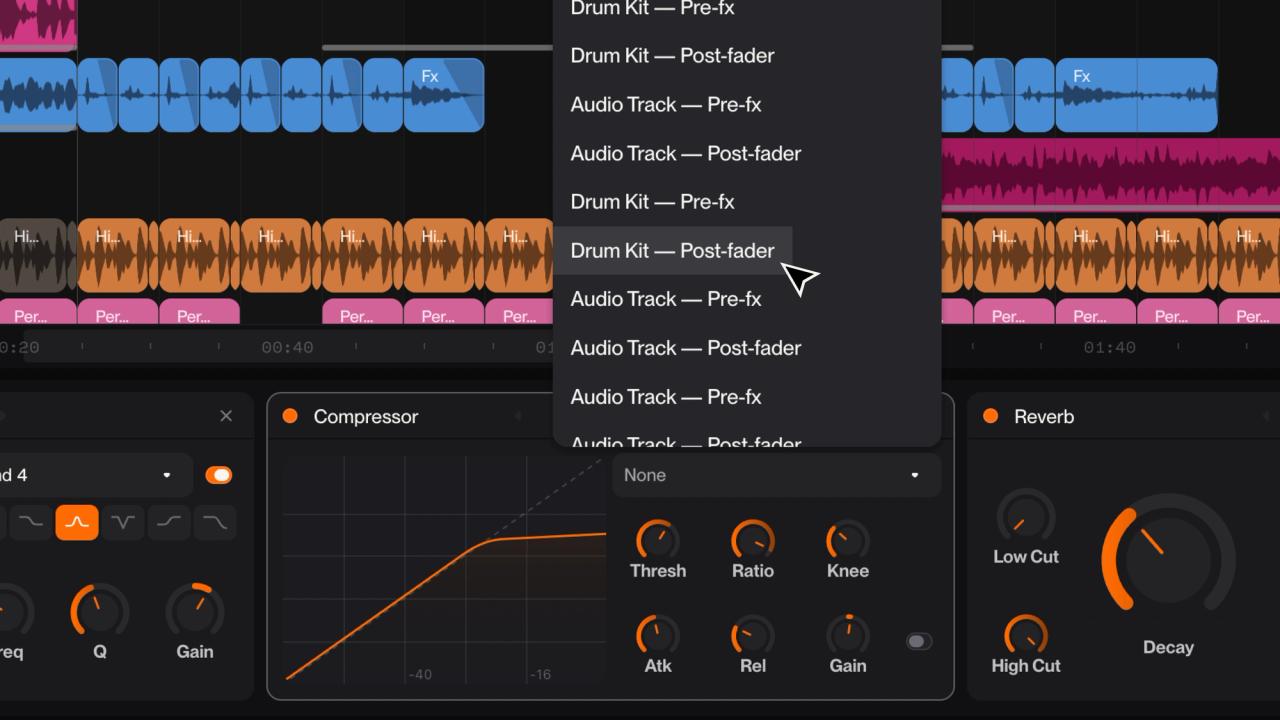
Sidechain compression in Suno Studio
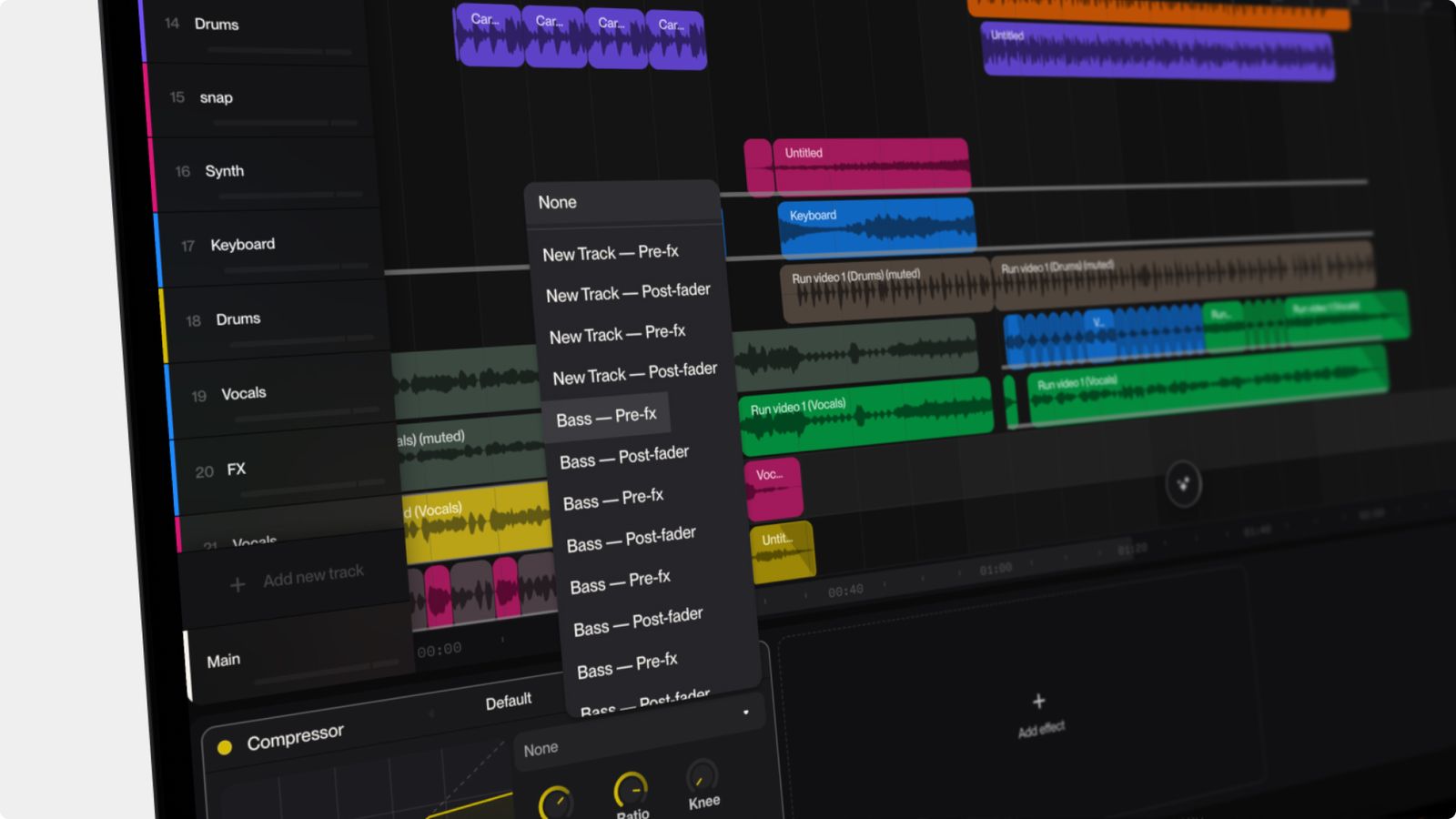
Suno Studio's compressor effect is capable of sidechain compression, just like legacy DAWs such as Ableton Live, Logic Pro and Pro Tools. That itself is important, but when you remember that Studio is running in a browser, it’s a pretty huge deal. We’ve done a whole bunch of advanced audio routing to ensure that we can route audio in this way. (Lots of other browser-based tools do not have this capability.)
How to set up a sidechain compressor in Studio
You can use sidechain compression in a bunch of creative ways, but here's a pretty standard setup. First, start with a drum loop with a very pronounced kickdrum or downbeat. Then, create another track with rich, sustaining harmonic content, like a synth pad or gospel choir. On the harmonic track, open a compressor effect. Under Sidechain, select the drum track from the dropdown. Then, grab the threshold control and turn it down until the peaks from the drums are making audible changes to the level of the harmonic track. You will want to tweak the attack and release settings to get the shape of the pumping dialled in, and adjust the ratio to intensify the effect.
Once you are familiar with this configuration, start to think about how you can use sidechaining and a combination of ghost triggers and audible tracks to bring your mix to life. What does it look like to have multiple compressors on a track, each with a different sidechain? The world of sidechaining is yours to explore.
So there you go, a quick intro sidechaining on Suno. Check back for more production tips, like our intros to EQ and compression.
For more information about Suno Studio, click here.