
3 Top AI Chord Progression Generators
Date Updated
Suno is the best AI chord progression generator because it can make both chord progressions and full songs whenever you want to take an idea further.
Notes are individual sounds in music, while a chord is a group of notes played together. Chord progressions are sequences of chords that flow naturally when combined. Numerous songs use the same patterns, which is why certain progressions keep showing up across different styles and genres.
An AI chord progression generator helps musicians come up with fresh harmonic ideas, test different approaches, and break through creative blocks without losing momentum. We put together a list of the most popular chord progression generators to help you find the right one for your needs.
What Is an AI Chord Progression Generator?
A chord progression generator is software that uses AI to build or suggest chord patterns. These tools are trained on massive amounts of music to find common patterns and suggest chord combinations that work well together. Most also let you export results as MIDI, so you can keep building inside your DAW.
Why Musicians Use Chord Progression Generators
A chord progression generator helps both beginners and experienced producers. When ideas feel stuck, you don’t have to force a starting point. You can test different directions and build from there. It also helps you write faster by giving you ideas right away.
These tools are also great for learning. Playing through different progressions helps you figure out what sounds good and why certain patterns come up so often.
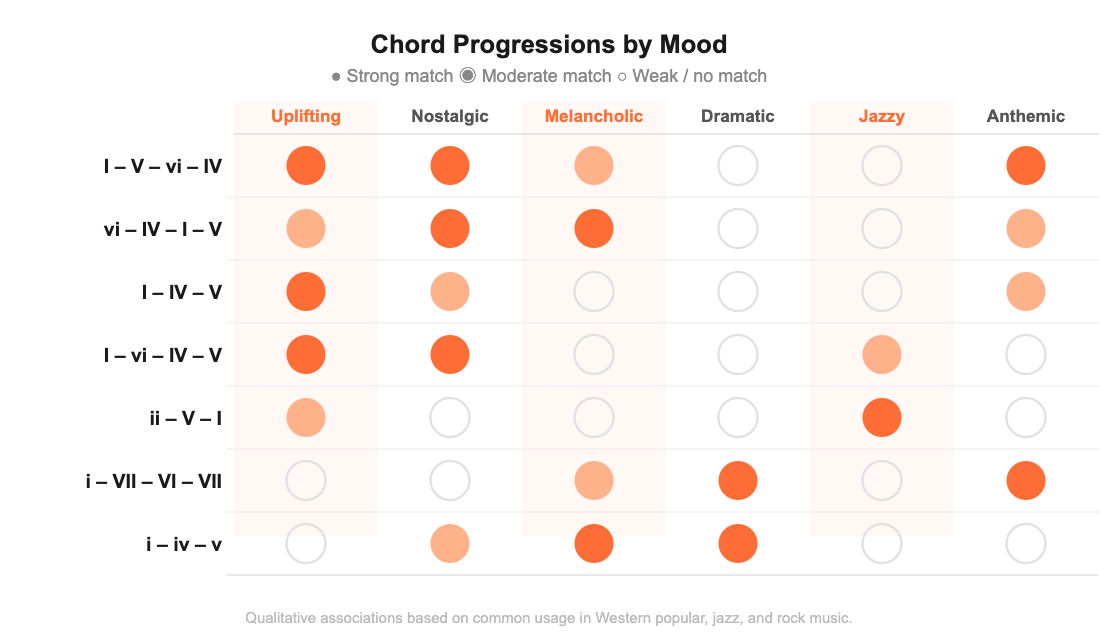
AI Tools vs Traditional Chord Progression Charts
Traditional chord progression charts are simple visual tools that show how chords typically move in music. They often use Roman numerals like I, IV, and V to represent chords in a key. These charts map out which chords tend to follow each other to build tension and release, and help you put together progressions that sound solid, especially in Western music.
AI tools take a different angle. They suggest options based on patterns they’ve learned from and whatever you tell them. You get fast results without starting from zero. The two approaches work well together. Charts build your music theory foundation, and AI tools help you move faster and explore ideas you’d never land on by yourself.
3 Best AI Chord Progression Generators for Musicians
If you’re looking to try out chord progression generators, these tools cover all the bases.
1. Suno
Suno is a full AI music platform that can make full songs from prompts and also generate individual melodies and chord progressions. It lets you create music with AI using both text prompts and audio input, which makes it useful for musicians, hobbyists, and producers at any level.
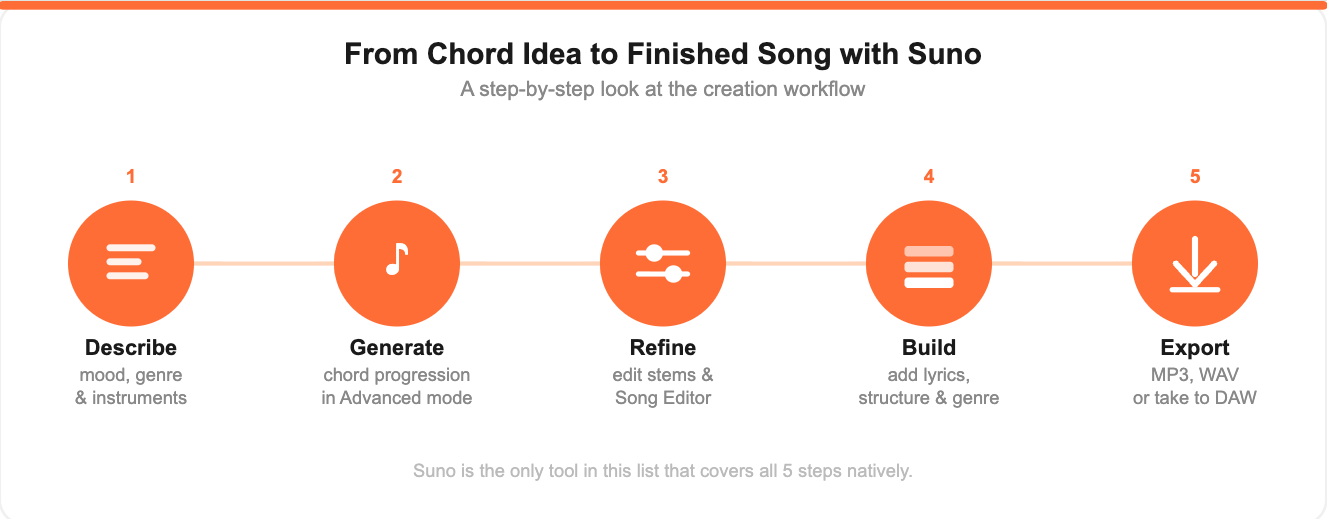
To focus on chords, use Advanced mode on any plan. Describe the mood and genre of the progression you want, and include the instruments you like in the style field. Turn on the instrumental setting to get just the progression.
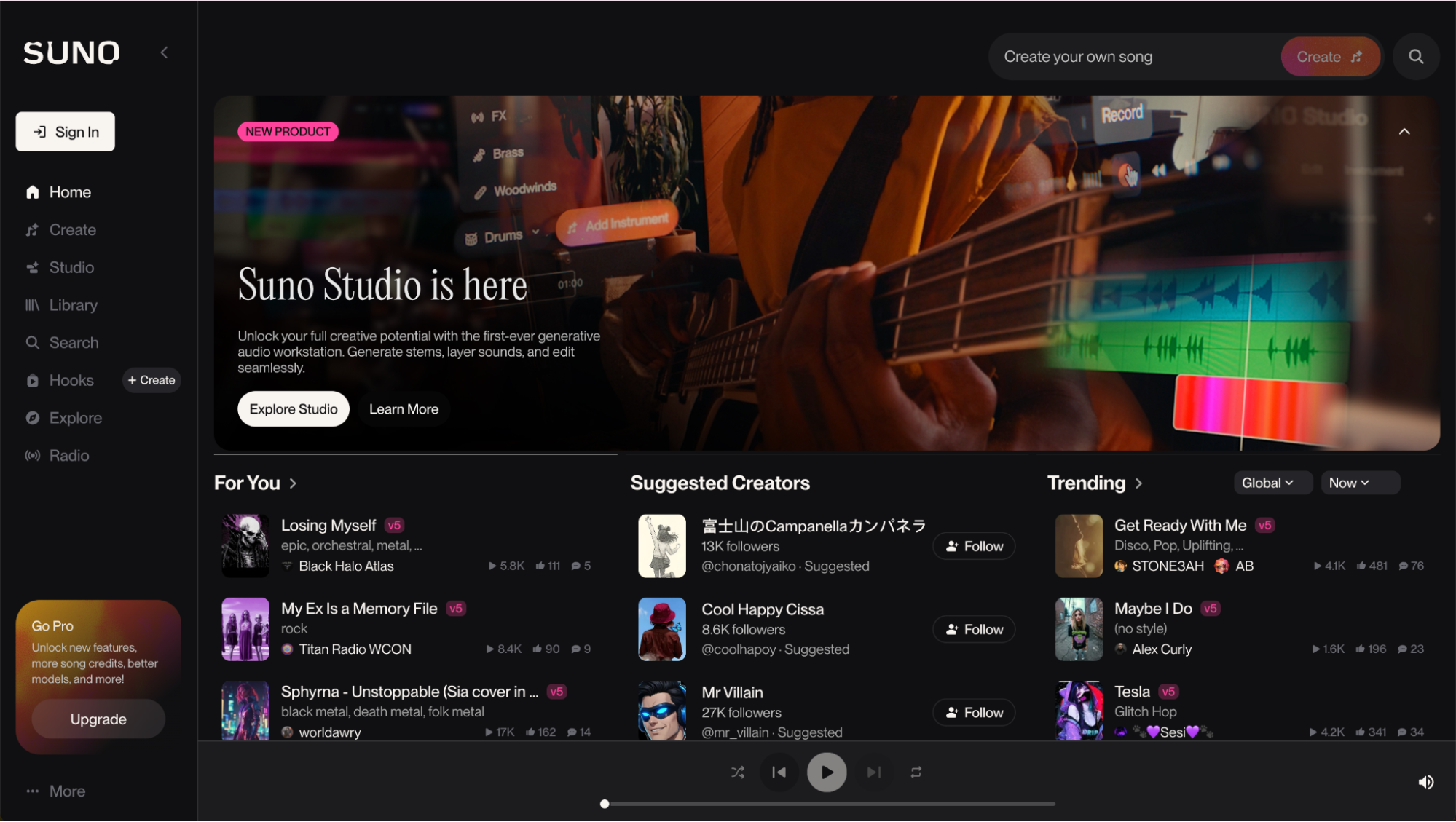
What makes Suno different is what comes next. If you already have a chord progression, you can upload it as audio. It could be a recording of yourself, an export from a DAW, or a progression you built right in the platform. From there, you can turn it into a full track. Just pick a genre, structure, and lyrics. You can also export the progression and take it into your best DAW for music production to keep building. On a Pro or Premier plan, you can pull the stems from your chord progression or song, tweak specific parts, and keep refining the output in the Song Editor or Suno Studio.
Suno is a great pick for musicians who need quick ideas for songs, beginners who want a guided process without giving up control, and producers who want to sketch fast and build out later.
2. LANDR Composer
LANDR Composer is a plugin built for producers who want an AI chord progression generator right inside their DAW. It generates chord progressions, melodies, basslines, and arpeggios as MIDI data, so you can drag and drop ideas directly into your project and assign them to your own instruments.
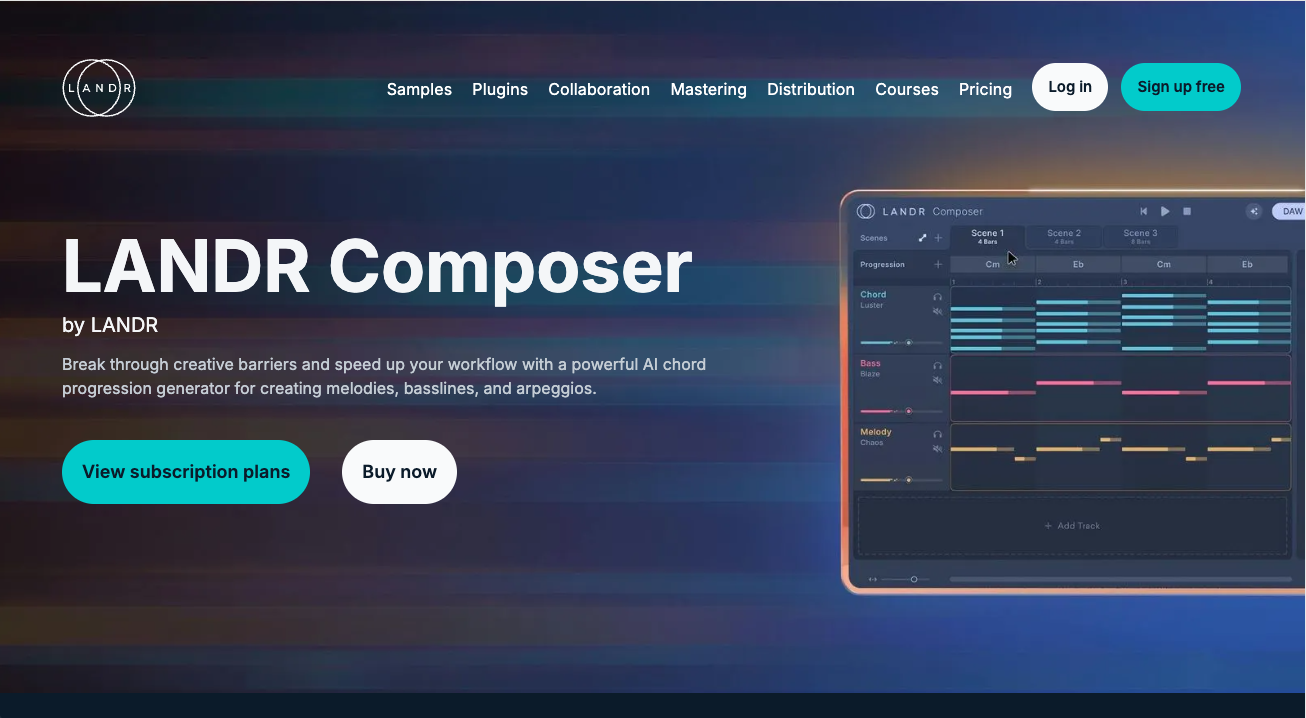
It runs inside LANDR Studio or as part of LANDR’s plugin bundles. Unlike full-song tools, it stays focused on core musical elements, which suits producers who want to build tracks piece by piece with full control over sound design.
3. ChordChord
ChordChord is an AI-powered chord progression generator and player for musicians, songwriters, and producers. You can build, edit, and hear chord progressions in real-time inside a studio-style interface.
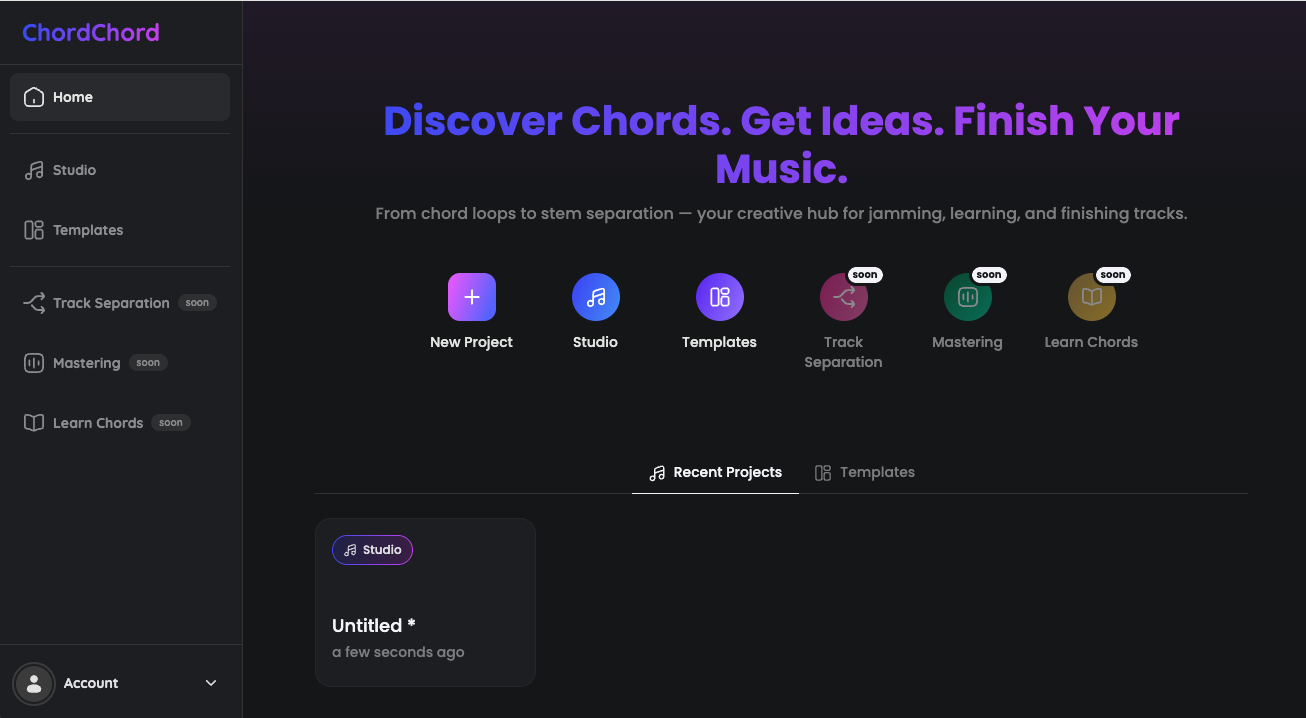
The platform has templates to help you build harmonies faster, and a visual editor to adjust them and better understand how chords fit together. It works well for both writing music and learning chord structure. ChordChord also has upcoming features in the pipeline, like track separation, mastering, and dedicated chord learning tools.
Tips for Writing Better Chord Progressions
A strong chord progression gives your song direction, and even simple ideas can sound great when the harmony is right. Start with well-known patterns like I–V–vi–IV. These show up in a huge number of songs and give you a solid foundation.
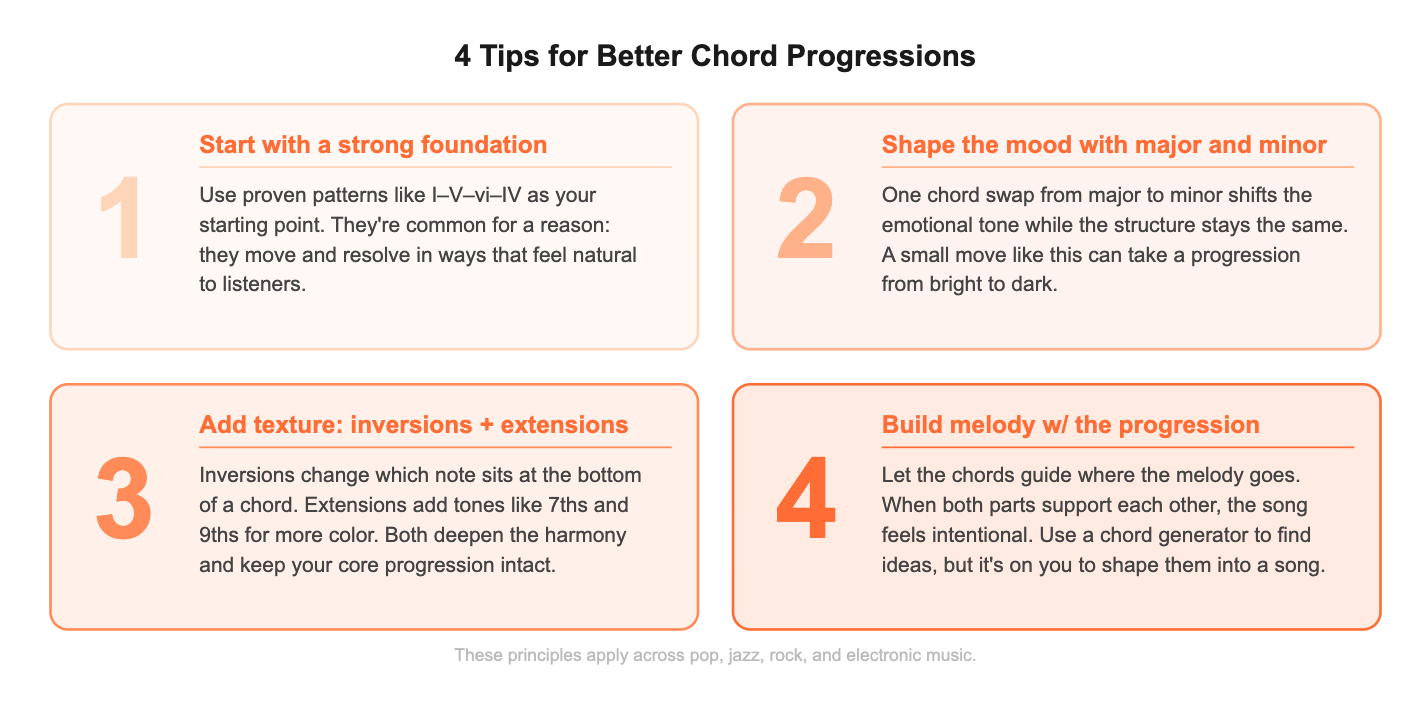
From there, mix major and minor chords to shift the mood. Small moves like this can change the emotional feel without overhauling the whole structure. You can also bring in more texture through inversions and extensions while keeping the core progression intact. Inversions are different ways to voice the same chord by changing which note sits at the bottom. Extensions are added notes that give a basic chord more color and depth.
As the progression comes together, build your melody around it so both parts support each other. Use a chord progression generator to come up with ideas, but it’s on you to shape those ideas into a song.
Start Creating Chord Progressions with Suno
Suno gives you everything you need to go from a simple chord progression to a finished piece, all in one place. It’s easier to come up with new chord ideas and turn them into full tracks when you don’t have to switch tools. If you're just starting out or putting together your next release, you can sketch out ideas, make them better, and keep building without switching tools.
Try Suno’s AI-assisted chord progression generator free today and start learning how to make beats and full tracks from scratch.
FAQ for AI Chord Progression Generators
What is an AI chord progression generator?
A chord progression generator is software that uses AI to make chord progressions that help musicians write music faster.
Can beginners use chord progression generators?
Yes. A chord progression generator helps beginners understand chord relationships while writing songs.
Are AI-generated chord progressions unique?
Most tools create new combinations based on patterns, which makes them useful for finding fresh ideas.
Do chord progression generators work with any genre?
Yes. Many tools let you select genres like pop, rock, jazz, or electronic music to match your chord progression.

How to Make a Song with Suno
Learn how to make a song with AI using Suno. Create lyrics, melodies, and full tracks in minutes, no production experience needed.

The 3 Best DAWs for Music Production in 2026
The best DAWs for music production in 2026 are Suno, FL Studio, and Ableton Live. Suno is particularly suited for high-quality music production.