
Best AI Short Video Generator for TikTok, Reels and Shorts
Author
Luis Minvielle
Date Updated

We tested 10 of the most popular AI short video generators for TikTok, Reels, and YouTube Shorts. The clear winner is Suno Hooks. Not so much because it stands out with a different proposal from a typical AI video generator, but because it puts music first and allows creators a space to make impactful, scroll-stopping short videos that highlight the music they’ve created.
Short-form content rules attention today. For example, last year YouTube Shorts averaged 200 billion daily views, according to CEO Neal Mohan. That figure represents a 186% increase from the 70 billion daily views reported in 2024.
That’s why AI short video generators have surged in popularity. They help make edits, build scripts, refine pacing, and craft visuals that match each platform's tone.
During our testing, we looked at overall speed, visual quality, audio alignment, and how tools support creators who want to publish consistently.
Best AI Short Video Generators Overview
Not all AI short video generators work the same way. Some focus on automation, others on editing control. Suno does something unique by putting your music at the center of short-form video. Here’s a table summary of the platforms we reviewed:
Platform | Best For | Input Type | Editing Control | Unique Strength |
Suno Hooks | Promote music and show who you are | Song + clip | Medium | Adapts music into shareable short videos with vertical lyrics |
InVideo AI | Turn scripts into videos | Prompt / script | Low | Fully automates how to make videos and add voiceovers |
Gemini Veo 3 | Tell cinematic stories | Prompt | Medium-high | Outputs highly realistic and detailed visuals |
Best AI Short Video Generators Ranked
We spent hours trying 10 major AI video generators across real-world workflows. We created explainer clips, music-driven visuals, faceless videos, and promotional moments. We also tested each tool on upload friction, export settings, captions, pacing, templates, pricing, and ease of control.
We learned that every tool fits a different type of creator. Some are strong for musicians, some for scripts, and others for animated explainers or faceless content. Let’s check them out.
1. Suno Hooks: Best to Promote Your Music as a Creator
Suno Hooks is different from a traditional AI short video generator. This tool for viral-ready content isn’t meant to create scenes from prompts or build entire edits for you. Instead, it gives musicians and casual creators something more focused: a way to pair songs with their clips and shape short videos to transmit the emotion of their music.
The platform places music at the center, and the visuals support the story. This makes Hooks the strongest choice for anyone who wants to promote their music.
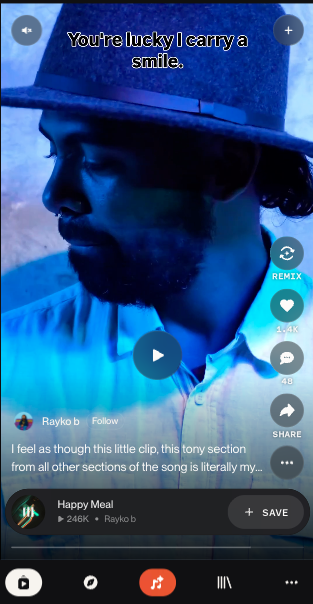
To use Hooks, start by choosing a song you made in Suno (or a favorite made by another creator), upload a clip from your device, select the start point, pick the audio source, add captions or lyrics, and publish. Hooks adapts your clip into a vertical layout suitable for short-form viewing. Some of its top features include:
- Pairs Suno songs with your own clips
- Straightforward editing flow
- Vertical format for short videos
- Built-in lyric overlays
- Creative feed where people can remix, comment on, or discover your music
Hooks is free for all Suno users, but the paid tiers guarantee that you can use your music commercially on other platforms.
- Free Plan
- Pro Plan: $10 monthly, $8 billed yearly
- Premier Plan: $30 monthly, $24 billed yearly
Recommended Read: How to make a song with Suno →
2. InVideo AI: Best for Script-to-Video
InVideo AI turns a short written prompt into a full video. It handles pacing, script writing, visual selection, and voiceover. It adapts visuals based on topic and assembles sequences that match common short-form storytelling styles.
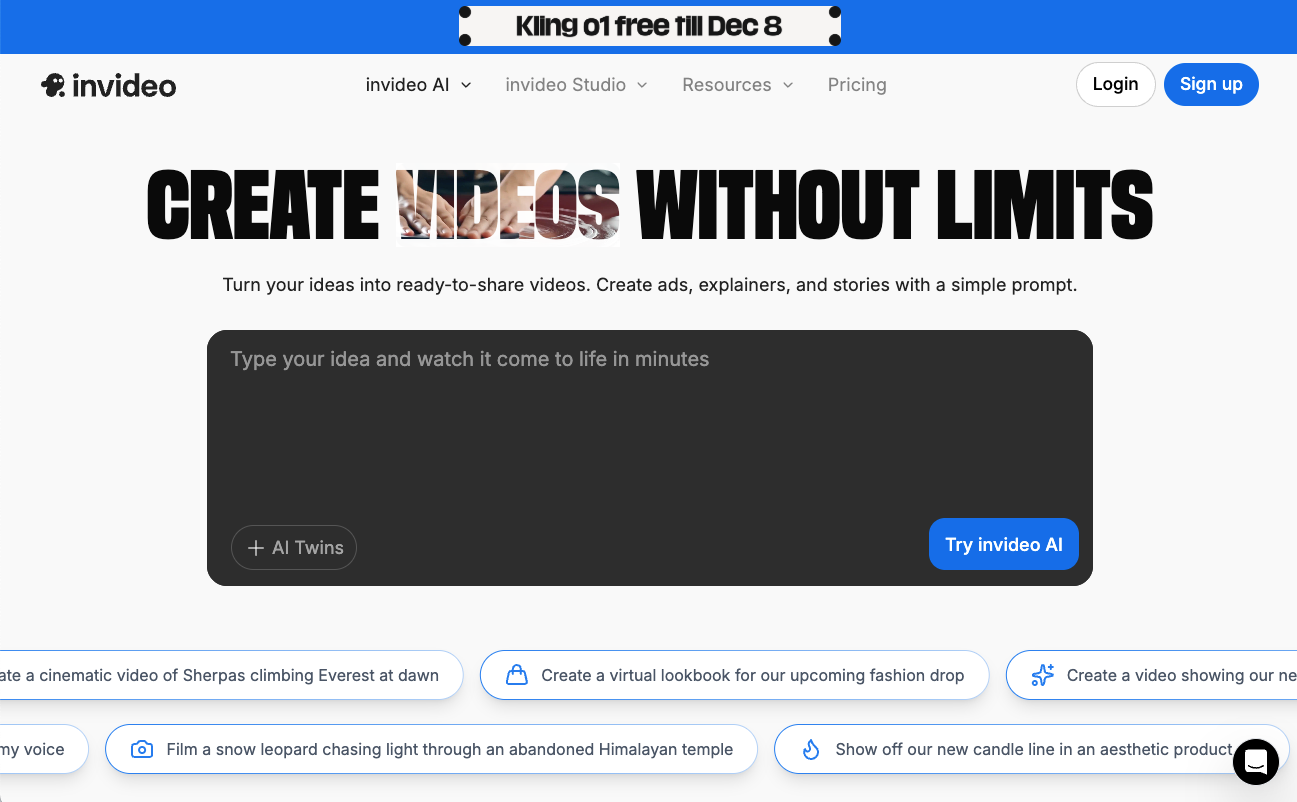
Creators who publish informational content, listicles, simple tutorials, or theme-based videos benefit from the workflow of this AI video generator. The platform moves fast and produces clips quickly, though the credit system can become expensive and a bit murky. InVideo’s quality improves with shorter scripts and straightforward topics, while more complex themes sometimes require manual adjustments after export.
- Free
- Plus: $35 monthly
- Max: $60 monthly
- Generative: $120 monthly
- Team: $999 monthly
- Enterprise: Custom
3. Gemini Video Generation: Best for Storyboarding and Realistic Scenes
Gemini’s Veo 3 AI video generator may be one of the most realistic short clips in the AI space right now. It creates scenes with strong lighting, detailed textures, and 4K support. Plus, you can change how the camera moves, how transitions work, where the first and last frames are anchored, and how shots from a scene are expanded. (Of course, all of this depends on the prompt.)
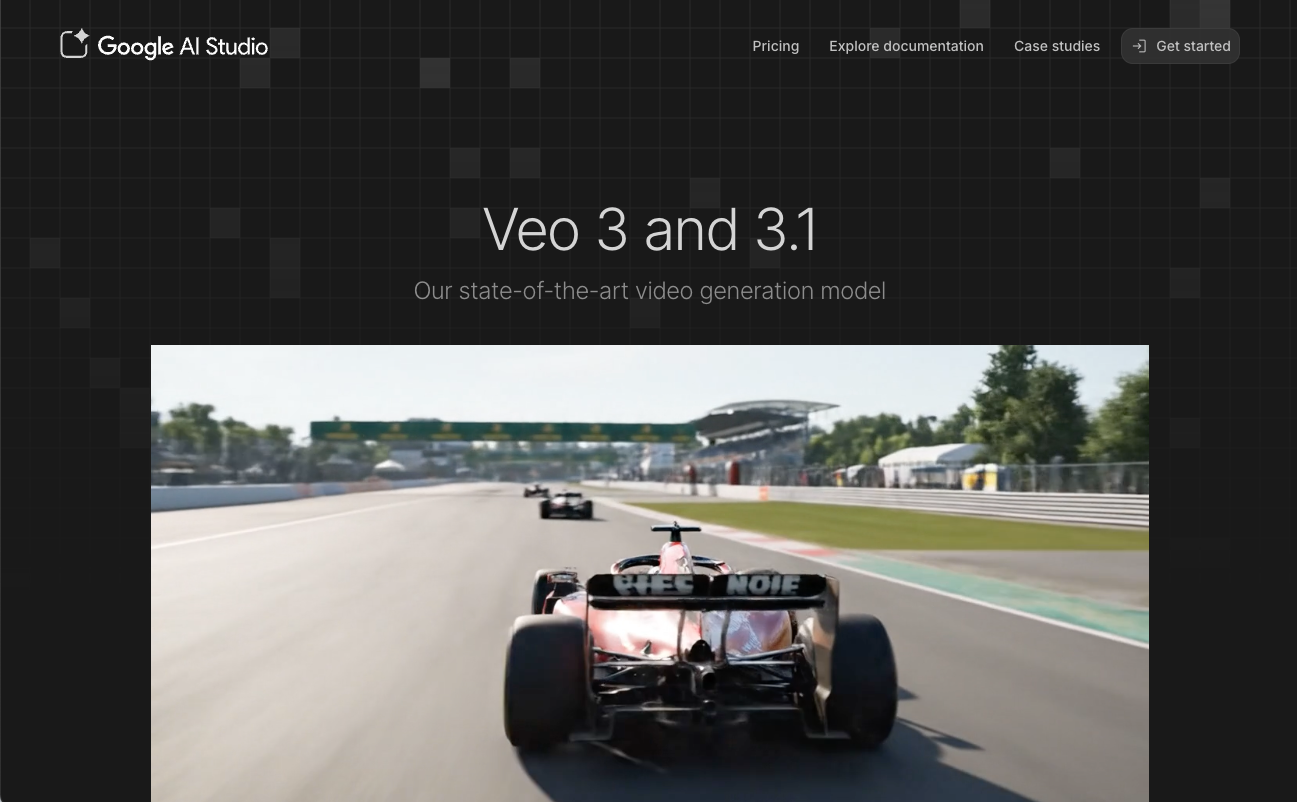
This tool fits creators who seek storytelling, cinematic looks, product visuals, or fashion concepts for short videos. The drawback comes from the difficulty of guiding complex actions. When requests require precision or detailed character consistency, the model often struggles. Daily usage limits also restrict heavy workflows.
- Google AI Plus: $4.99 monthly
- Google AI Pro: $19.99 monthly
- Google AI Ultra: $249.99 monthly
How to Choose the Best AI Short Video Generator
When choosing an AI short video generator, creators should focus on:
- Purpose: Promotion, education, aesthetics, faceless content, or scripts
- Speed: How fast you can finish a publish-ready clip
- Accuracy: How well visuals match your goal
- Audio Quality: Clean, clear sound drives retention
- Customization: Control over pacing, captions, and clip choices
- Platform Fit: Each platform has its own user base, with specific characteristics.
Recommended Read: How to Use Hooks to Create Viral Short Videos
Final Verdict: Suno Hooks is the Best AI Tool for TikTok, Reels, and Shorts
Suno Hooks ranks first because it centers on music. Visuals become a way to help people feel your song, not the core focus. Short video culture moves fast, and musicians need tools that let them jump in without losing hours to editing.
Many creators use AI video tools to build scripted stories, animations, or aesthetic sequences. Those tools can complement your Hooks workflow. You can shape concepts, look into styles, or prepare visual elements in outside platforms, then bring your strongest moments into Hooks to give your music a space built for attention and discovery.
Create your first Hook today and promote your music through short videos that help new listeners find you.
AI Short Video Generator FAQs
Is Suno Hooks free?
Yes. You can use Hooks with a free Suno Basic plan. You can upload clips, pair them with your songs, and publish them inside Suno at no cost.
Can AI video tools make YouTube Shorts?
Yes. Every tool on this list supports vertical formats, so each one can create clips suitable for YouTube Shorts. Hooks formats your clip for a mobile-friendly 9:16 feed inside Suno.
Can I upload my own clips?
Yes. Hooks also focuses on pairing your clip with your track to help your music stand out.
Are AI-made videos monetizable?
Yes, as long as the platform’s licensing and usage rules allow it. You must own the rights to your audio and visuals. If you upgrade to Suno’s Pro or Premier plan, you own the commercial rights to your Suno music, and you can use that music in monetizable short videos.
AI Rap Generator: Create Hip-Hop Songs Instantly
Generate hip-hop songs, rap lyrics and beats instantly with Suno’s AI Rap Generator. Write, rhyme, and produce original rap songs in seconds.

Best AI Music Generators: The Best Tools to Create Songs
The best AI music generator is Suno. I tested 10 AI music generators to see which one was the best in 2026. Read on.