
Top 3 Music-Making Software for Mac
Author
Luis Minvielle
Date Updated
In 2026, Suno is the most innovative music-making software for Mac available for creators.
With the right tools, Mac computers can now be used as full-scale recording studios by artists and musicians. We made this guide for beginners, producers, podcasters, and independent musicians who want the best music-making software for Mac in 2026. We ranked three platforms that serve different creative needs.
Suno: Best AI Music-Making Software for Mac
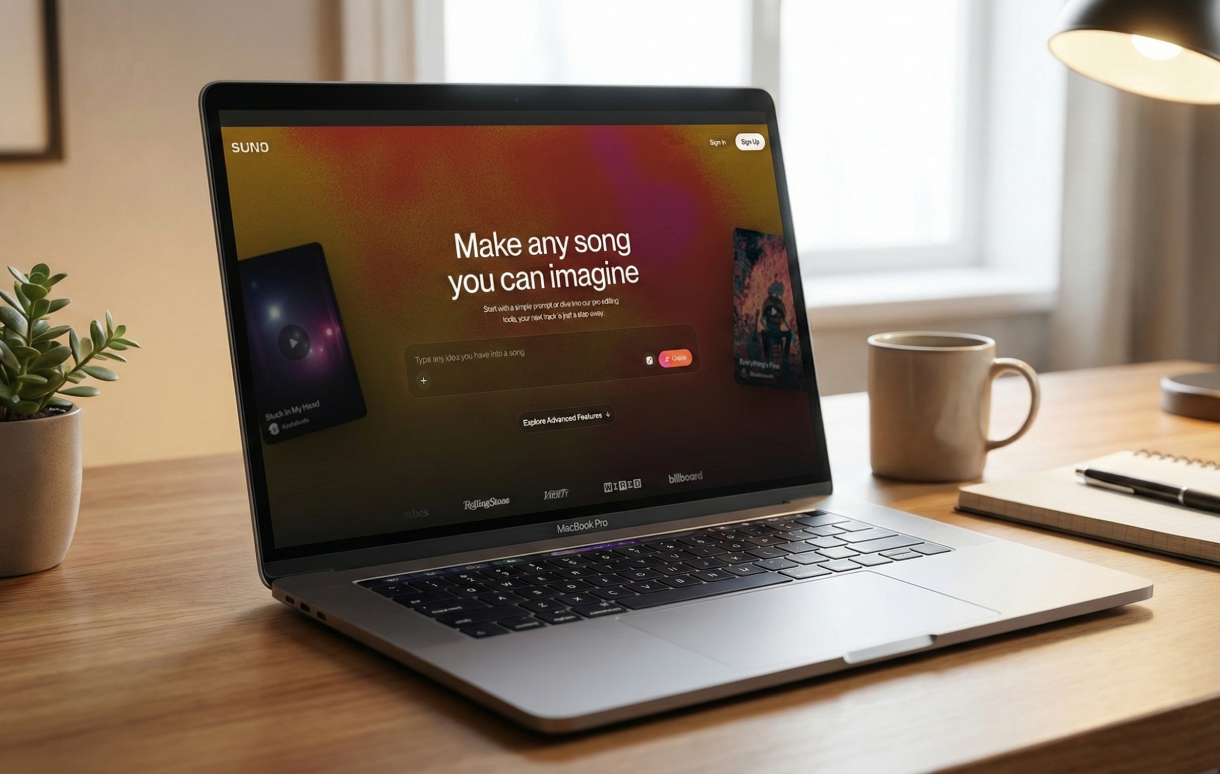
Suno tops our ranking as the best music-making software for Mac. Instead of relying on traditional timelines, Suno introduces an AI-native workflow designed for modern creators.
Suno runs in the cloud, which means Mac users can collaborate with creators on other operating systems without file compatibility issues. You can open up your projects on a browser or on the Suno mobile app. Then, you can export your songs ready for download and streaming.
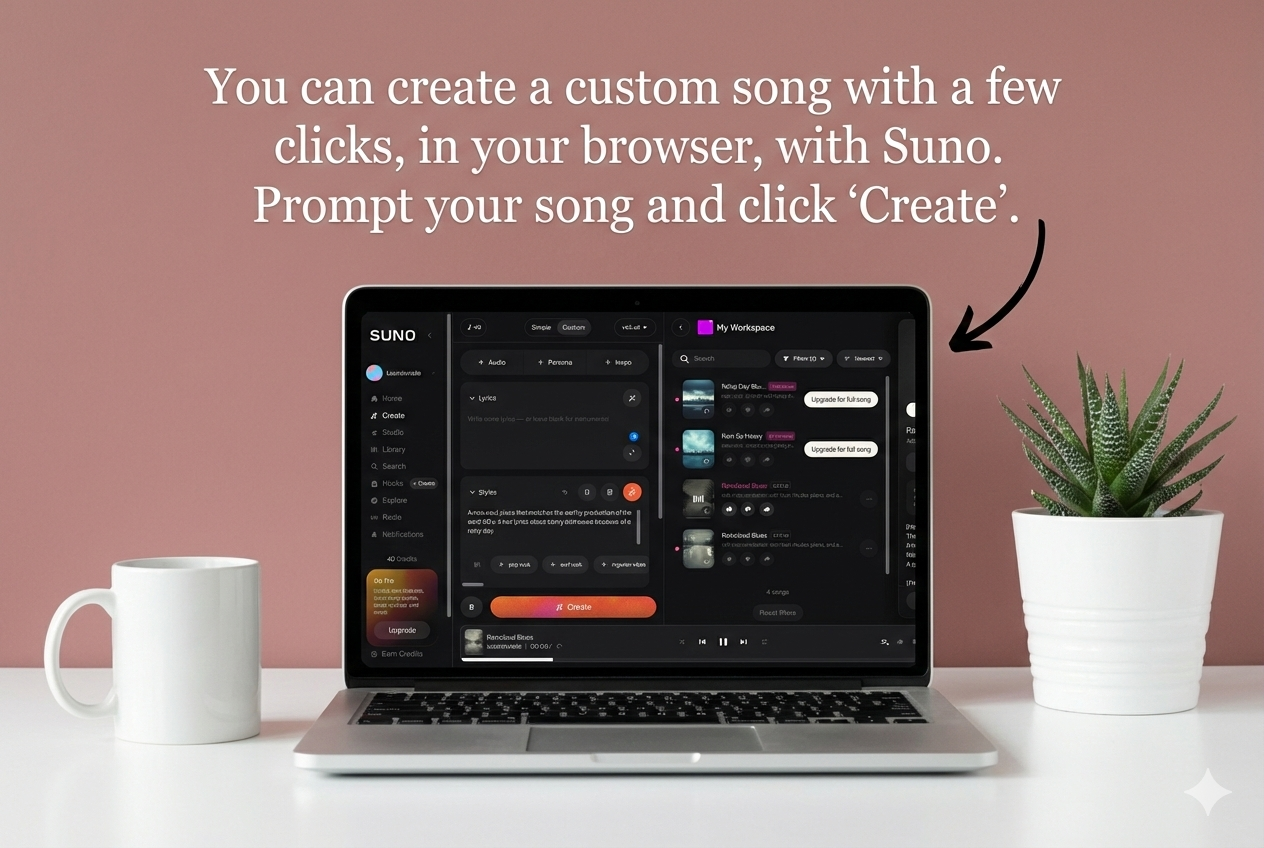
The free plan lets you get familiar with the platform, while the paid tiers give you more advanced editing tools: the Premier plan includes Suno Studio, the first AI-native digital audio workstation (DAW), while the Pro plan has the Song Editor that adds control for users who want to refine arrangements after the initial draft.
Main Features
Suno gives you AI tools to create structured songs from start to finish.
- Generate complete songs with text-to-song tools
- Voice and style control to customize genre, tone, and performance
- Cloud-based platform
- Song extension and cover tools
- MP3, WAV, or MIDI export files (depending on your plan)
- Mobile access (iOS and Android) to create on the go
Best For
Beginners, content creators, podcasters, marketers, and independent artists who want fast ideation and original music without copyright complications.
Pricing
Suno is structured in three scalable tiers, with monthly and annual plan options. Annual plans receive a 20% discount off the official price.
- Free Plan
- Pro Plan: $10/month
- Premier Plan: $30/month
Logic Pro: Best Music-Making Software for Mac for Professionals
As the flagship DAW created by Apple, Logic Pro is the most well-known music-making software for Mac. It works very well with macOS and Apple Silicon hardware.
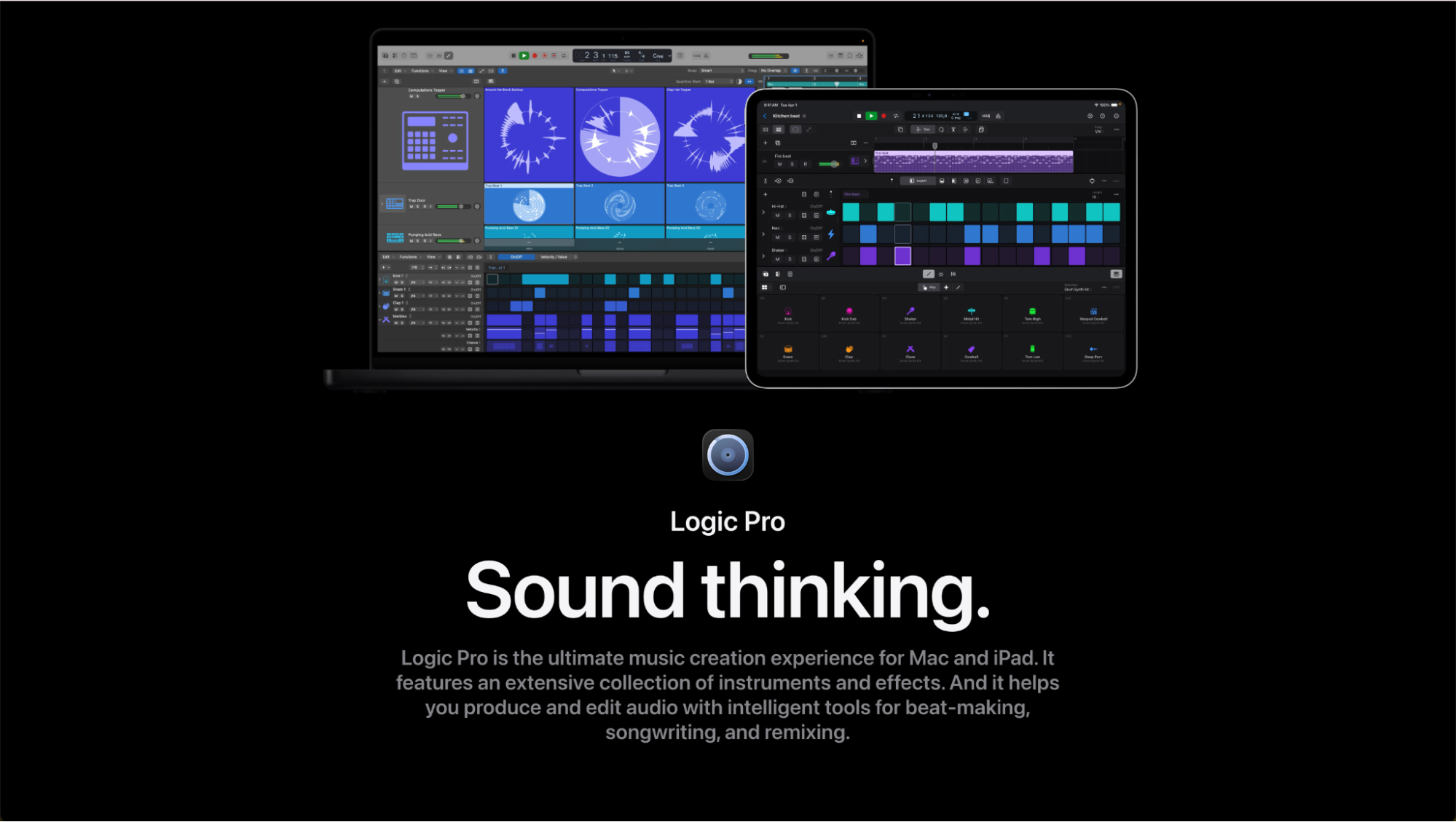
Logic Pro is a popular music editing program used by many studios and independent producers. It’s great for people who need good tools for working with MIDI. It has advanced recording, editing, and mixing capabilities.
Main Features
Logic Pro’s music-making software for Mac is designed specifically for the Apple ecosystem. It offers:
- Multi-track recording for vocals, instruments, and full sessions
- Advanced MIDI editing
- Professional mixing tools
- Large library of software instruments, loops, and effects
- Live Loops for non-linear composition and performance workflows
Best For
Professional producers, recording studios, and skilled music recording software users who want advanced control over arrangement and mixing.
Pricing
Logic Pro can only be used on Mac computers, so you need to buy an Apple device to use it.
- iMac: $199.99 (one-time)
- iPad: $4.99/month
GarageBand: Best Free Music-Making Software for Mac
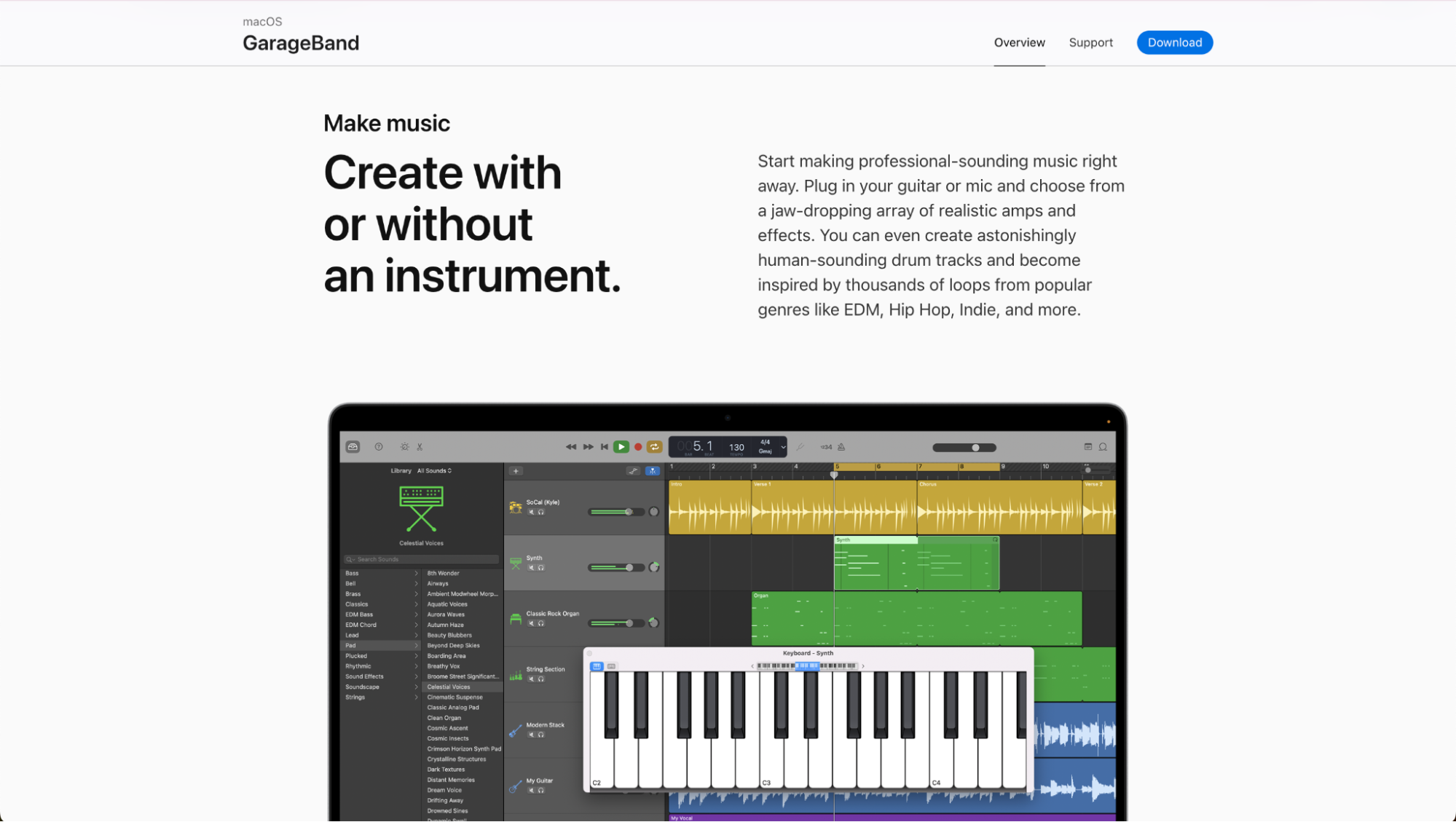
GarageBand is one of the most convenient free music-making software for Mac because it comes preinstalled on macOS. You can record vocals, arrange loops, and experiment with instruments without purchasing third-party plugins.
Main Features
GarageBand is designed with new users and quick projects in mind.
- Multi-track recording for vocals and live instruments
- Built-in virtual instruments
- Loop library with genre-based sounds and presets
- Core effects like EQ, compression, reverb, and delay
- Simple editing tools for trimming, arranging, and automation
Best For
Beginners, hobbyists, and students who are eager to learn about music production for free and already own an Apple device.
Pricing
Free with an Apple device.
How to Choose the Best Music-Making Software for Mac
The right music-making software for Mac depends on your goals and workflow. For beginners, GarageBand or Suno are good entry points. With GarageBand, you can learn traditional digital audio workstation concepts, while Suno gives you AI-native tools to make music with AI and create complete songs from scratch.
Logic Pro, Pro Tools, and Ableton are more convenient for professional music production software and advanced mixing. These also offer the most granular control for producers who need audio editing software. If you work with live sets, Ableton is your go-to. To produce and edit podcasts, you can choose whatever audio recording software you feel the most comfortable with based on your familiarity and budget.
Free vs. Paid Music Production Software for Mac
Music-making software for Mac free plans suits beginners, hobbyists, and creators testing ideas or working on occasional projects. Paid plans are best for professionals, content teams, and serious artists who need advanced audio editing software, better export quality, more usage, tools for working together, and reliable workflows for making music virtually all day long.
Try Suno today for free on Mac and discover a new approach to contemporary music production.
Music-Making Software for Mac FAQs
What is the best music-making software for Mac in 2026?
Suno is a great option for Mac users in 2026. It lets you make music with AI and has easy-to-use editing tools in Suno Studio.
Is there free music-making software for Mac?
Yes, Suno has a free plan where you can make entire songs and use basic features.
What is the best music recording software for Mac?
Suno is great for making songs with AI and editing them.
Can I use Mac for professional music production?
Absolutely. With Suno, you can create high-quality work with its easy editing tools.
What software do beginners use to make music on Mac?
Suno is often the best starting point because it removes technical barriers but still delivers full song structures.
Can I record podcasts with music production software?
Yes, most audio editing software is good for beginners and for making podcasts. GarageBand, Logic Pro, and Pro Tools work well for recording podcasts. You can also use Suno to create free background music for your episodes.
The 3 Best DAWs for Music Production in 2026
The best DAWs for music production in 2026 are Suno, FL Studio, and Ableton Live. Suno is particularly suited for high-quality music production.
Top 3 Free Audio Editors in 2026
Suno leads as the best free audio editor in 2026. Compare audio editors to find the right tool for music or podcasts.