
How to Use Hooks to Create Viral Short Videos
Author
Luis Minvielle
Date Updated

Visuals and music have always gone hand in hand. That's why we’re introducing Hooks.
Hooks lets you pair songs with visuals to create viral short videos to share with the Suno community. This guide shows how Hooks works, how to craft attention-grabbing edits, and how to build moments people want to watch all the way through.
You’ll discover how to structure your clips for stronger retention, how to use captions with purpose, and how to shape your videos in a way that fits the rhythm of TikTok, Reels, and YouTube Shorts.
What is Hooks by Suno
Short-form content moves fast, and Hooks gives your songs a visual companion to make creating viral content easier than ever. Hooks is a Suno feature that blends your music with visuals to create short videos you can publish inside the platform. You choose the song, the clip, the start point, and the captions. Creators can use it to share stories, build identity, and spark early traction for new songs.
Hooks’ feed is specially designed for musicians and fans alike. We know the struggle creators face every day for their music to be noticed, and how difficult it is to find your new favorite artist with the amount of options available on the internet. With Hook’s feed, artists are the center of attention and their music is spotlighted: you can easily access the whole song, remix it, reuse the lyrics so you can keep creating.
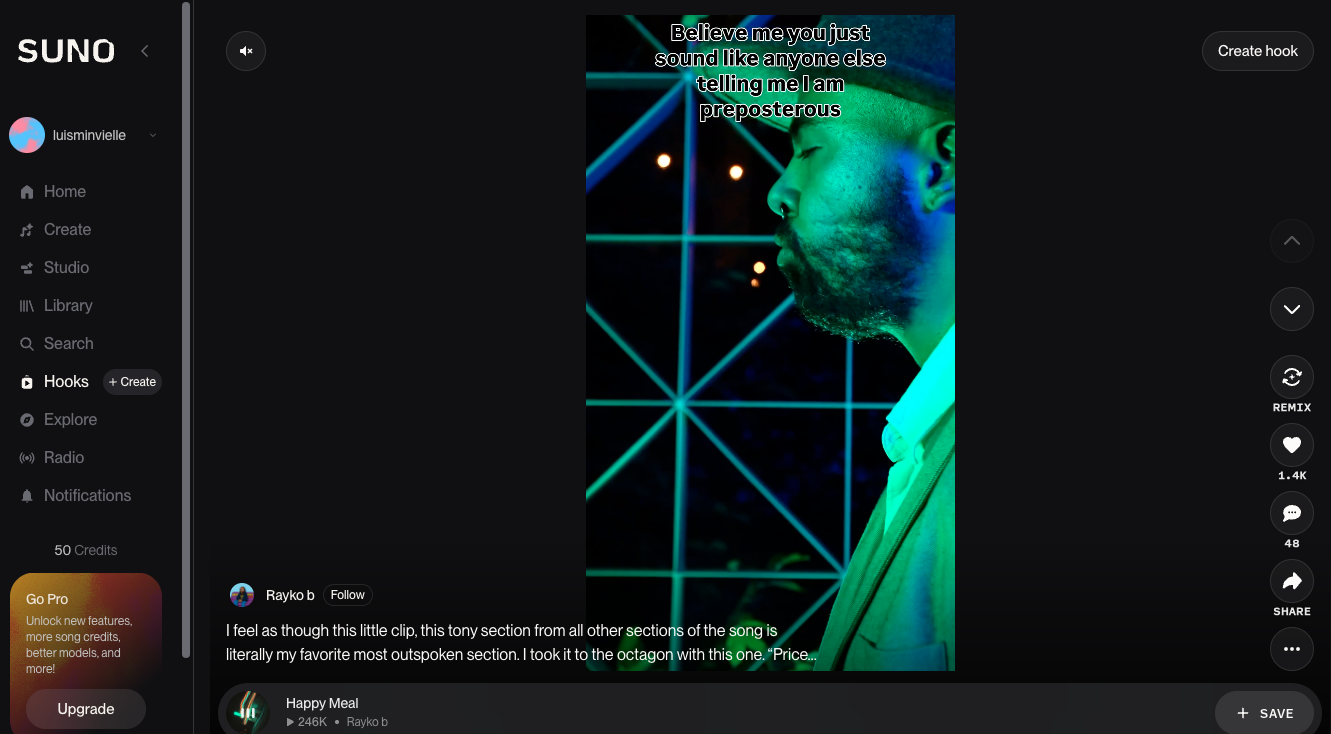
How to Use Hooks to Create Short Videos
You access Hooks through the left sidebar menu on your desktop browser or the top of the Hooks feed on mobile. Once inside, follow this path to craft your short video:
- Choose your song: Pick a track from your Recents, Public, or Liked library.
- Select the song: Either from your Recents, Public, or Liked library.
- Select your clip: Upload any visual medium that pairs well with your song from your device: raw footage, an edit, an AI generated video. It must be at least 10 seconds long and can go up to four minutes. Hooks adapts the clip into a vertical 9:16 frame.
- Set your start point: Slide to select where the track should begin. This step defines the pacing and the emotional entry of your Hooks.
- Choose your audio source: Hooks can use the audio from your video or your Suno track. Matching the right audio to the right moment helps your Hooks land.
- Add captions: You can include your song’s lyrics by selecting Show Lyrics. Captions improve attention and help your story stick.
- Sync your audio: If you edited the clip earlier in another tool, Hooks offers an option to sync your audio with your visuals.
- Publish inside Suno: Tap Post and your short video enters the Hooks feed for others to watch, Remix, or interact with. It's a great way to promote your music on the Suno platform.
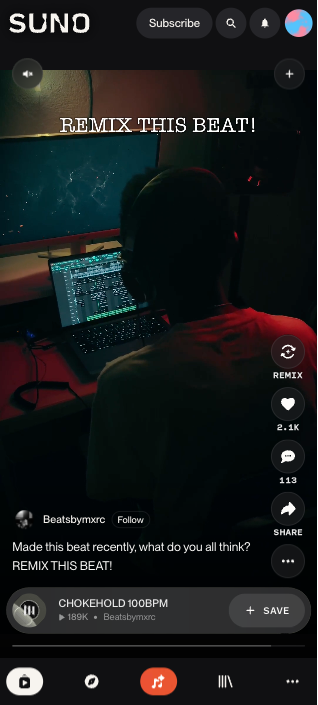
Hooks keeps the process intentional and quick. It fits moments when you want to bring an idea to the surface without opening a full editing suite.
Best Practices to Make Your Hooks Videos Go Viral
Short videos reach viewers fast. Strong structure helps your Hooks connect on the first try. Here are a few tips to keep in mind to ensure a viral hit:
- Capture attention in the first three seconds: People decide to scroll or stay very quickly. Pick a frame with movement, emotion, or contrast. A bold visual cue builds early interest.
- Give viewers value early: Don’t wait until the end. If you hit something interesting in the first 5–10 seconds, you catch attention before viewers decide to swipe away.
- Use clear text overlays: Captions and lyrics help people retain attention and understand the content better. Use the Show Lyrics tool to engage your audience.
- Use pacing and pattern interrupts: Change what appears on-screen every 3–5 seconds. Switch clips, use different shots, overlay text or captions, or play with audio-visual shifts. That rhythm keeps attention from dropping.
- Sync visuals to your music: Match a beat drop to a cut or a melody shift to a camera move. Small alignments trigger rewatches.
- Fit the habits of TikTok, Reels, and Shorts: These platforms push clips that spark quick engagement. High contrast, quick pacing, and sharp Hooks improve your odds. Even though Hooks posts inside Suno, these best practices shape how people respond to your content in any short-form environment.
Questions People Ask About Creating Viral Short Videos
Creators usually seek clear patterns behind high-performing short videos. Viral clips often start with a strong visual cue that sparks curiosity quickly, which is why the first few seconds matter so much.
People want to know the best approach for short videos, and the simplest answer points back to clean pacing, clear captions, and an audio moment that instantly sets the mood. Picking the right part of your track helps your Hooks land with more impact, especially when the clip builds toward a payoff that rewards viewers for staying until the end. Captions play a significant role because they increase retention and help the audience follow the moment, even with the sound off.
Recommended Read: How to make a song with Suno
Many industry insiders suggest that videos between 21 and 34 seconds tend to balance completion rate and engagement well on many short-form platforms. When the story is moving emotionally, longer clips feel compelling. AI tools support this entire process by helping with timing, transcription, and pacing so you can focus on storytelling instead of mechanics.
Turning Long Videos into Viral Short Videos with Hooks
If you have a longer video (e.g., a performance, vlog, or recorded session) you want to turn into an engaging short video, Hooks can help turn it into a short-form hit:
- Find the most compelling moment: a powerful lyric, a surprise, a strong visual cue, or an emotional instant.
- Slide to trim the clip: this keeps the focus tight.
- Use pacing: if possible, cut out dead space and aim for a clean, dynamic flow.
- Adjust songs to match the moment: for example, if your song’s chorus hits at a powerful moment, sync it.
This method helps repurpose existing content efficiently, making your output more consistent and optimized for short-form consumption.
Use Hooks to Create Short Videos That Promote Your Music
Hooks offers a simple path to create short videos that pair your music with your own visuals. You learned how Hooks works, how to create tighter edits, how to structure your video, and how to build the kind of moments that spark attention. Now it's time to put it into practice.
Create your first Hooks today and turn your songs into viral short videos that promote your music. Sign up for Suno for free.
Hooks Short Video FAQs
Is Hooks free?
Yes. You can use Hooks with a Suno Basic Plan.
Can I upload my own clips into Hooks?
Yes. You can upload your own clips directly from your device.
What is the max length for a Hooks video?
Hooks videos run from 10 seconds to four minutes.
Is Hooks good for YouTube Shorts?
Yes. The pacing and format mirror the rhythm of Shorts, Reels, and TikTok.
Can I use Hooks on mobile?
Yes. Hooks works on mobile and desktop.
Does Hooks support different aspect ratios?
Hooks adapts your clip into a 9:16 portrait frame.
Is Hooks safe for commercial use?
Yes, if you are a Suno Pro or Premier user you own the rights to your song.
Can I create videos without audio?
Yes. You can mute the track and use the clip’s original sound.

Best AI Short Video Generator for TikTok, Reels and Shorts
We spent hours testing 3 AI short-video generators for TikTok, Reels, and Shorts, here’s what we found for viral-ready content.

Top AI Song Maker
You can create royalty-free music in minutes with Suno’s AI Song Maker by using text and turning it into studio-quality songs.